9 Best AI Tools for Accountants and Bookkeepers (2026)
A bank feed where AI has already sorted the week’s transactions into categories. The best AI tools for accountants take over the…
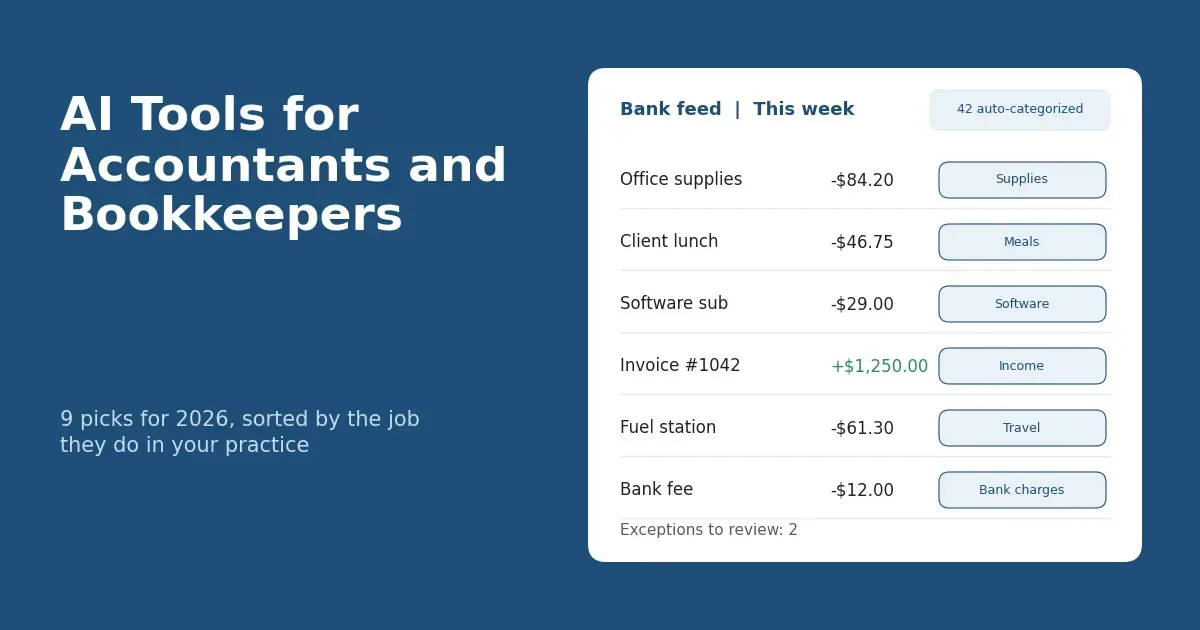
A bank feed where AI has already sorted the week’s transactions into categories.

The best AI tools for accountants take over the jobs nobody bills for, like keying in receipts, matching bank lines and chasing missing documents. They only pay off when they fit the software you already run. They also have to handle client data with care. This guide covers nine tools, grouped by the job each one does in a practice, with prices taken from official vendor pages in October 2026. Plans and promotions change, so confirm each price on the linked page before you buy.
A note on method: we did not run hands-on trials of these tools. Everything here comes from official pricing pages and product documentation, and it’s labeled that way.
General information only, not accounting, legal or tax advice.
AI Tools for Accountants at a Glance
Here’s the whole list in one table, so you can build a shortlist fast. Prices are starting prices from official pages, checked October 2026.
| Tool | Best for | Key AI feature | Starting price (official, Oct 2026) | Works with |
|---|---|---|---|---|
| QuickBooks Online + Intuit Accountant Suite | Practices with QuickBooks clients | Intuit Intelligence | QBO from $38/mo (Simple Start); Accountant Suite Core free | QuickBooks Online |
| Xero with JAX | Xero practices, international clients | JAX: data entry, reconciliations, getting paid | From $27/mo (Early) | Xero |
| Booke AI | Categorization and reconciliation add-on | Daily bank feed categorization, document matching | $129 per business/mo; firms: pricing by request | QuickBooks Online, Xero |
| Dext | Receipt and invoice capture | AI Assist automations | From $25.21/mo billed annually ($302.50) | 36+ accounting platforms |
| BILL | AP and AR automation | Invoice Coding Agent (Team and up), W-9 Agent | Essentials $49/user/mo; Team $65 | QuickBooks Online, QuickBooks Pro/Premier, Xero (auto-sync on Team) |
| Karbon | Multi-staff firm workflow | Kai AI Coworker | Team $59/user/mo billed annually ($79 monthly) | Not stated in our sources; check Karbon’s integrations page |
| Blue J | Federal and state tax research | Cited answers, drafting, file uploads | $1,498/year per user (Individual) | Standalone |
| Microsoft 365 Copilot | Firms that run on Excel and Microsoft 365 | Copilot in Excel, Outlook, Teams | $18/user/mo paid yearly (promo to Dec 31, 2026; regular $21) | Microsoft 365 |
| ChatGPT Business | Drafting, analysis, research | General assistant with business data terms | $20/user/mo billed annually ($25 monthly), 2-seat minimum | Standalone |
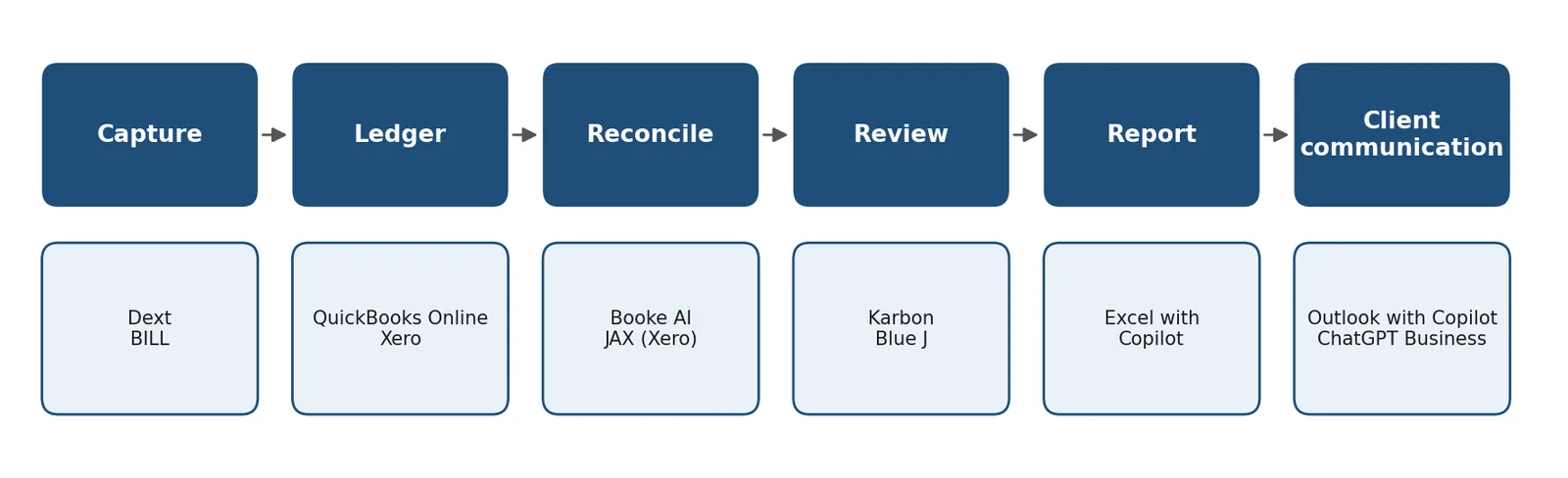
Where each tool sits in a typical client workflow. The grouping is ours, not the vendors’.
How We Chose These Tools
We picked tools by the job they do, not by who pays the best commission. Each one had to cover a core accounting task, document its AI feature on the official site, and show public (or clearly stated) pricing. We also wanted integration with QuickBooks Online, Xero or Microsoft 365, plus security signals like SOC 2 Type II where a vendor states it.
No vendor paid for placement, and we aren’t using affiliate links. When a company’s marketing makes a big claim, we attribute it to the company or leave it out.
Best AI Bookkeeping Software and Ledger Tools
Start with the AI that already lives inside your ledger. Both big platforms now bundle it into paid plans, and it sees the same data every other tool will touch.
1. QuickBooks Online + Intuit Accountant Suite (Intuit Intelligence)
If most of your clients already use QuickBooks, this is the natural first stop. Intuit says paid QuickBooks Online plans include its Intuit Intelligence AI features, with more unlocked as you move up the tiers. Regular monthly prices are $38 for Simple Start, $85 for Essentials, $140 for Plus and $340 for Advanced, with 50% off for the first three months.
The Intuit Accountant Suite is the part built for practices. The Core plan is free and includes Intuit Intelligence chat, capped at 200 prompts a month. Accelerate is free in beta through January 19, 2027, and billing starts January 20, 2027 at $149 a month, according to Intuit’s plan summary. It raises the cap to 1,000 prompts and adds AI anomaly detection, and Intuit lists cross-client questions as coming soon.
Picture a bookkeeper with thirty clients who wants to know which ledgers show an odd jump in expenses this quarter. That’s the kind of question Intuit’s cross-client questions are aimed at, though Intuit lists them as coming soon. Intuit has moved dates and features around before, so check the current start date and tier details on the official pages.
2. Xero with JAX (Just Ask Xero)
Xero describes JAX as its agentic AI platform, one that can automate tasks like data entry, bank reconciliations and getting paid, with oversight from you or your advisor. Xero says there is currently no extra charge for JAX chat, but it reserves the right to change that. The US plan prices on Xero’s pricing page are $27 a month for Early, $59 for Growing and $97 for Established, each with an introductory discount for the first three months.
It suits Xero-based practices and anyone with clients outside the US. Just confirm which JAX features are live in each client’s region, since rollouts are rarely identical everywhere.
3. Booke AI
Booke AI sits on top of QuickBooks Online or Xero and goes after month-end drudgery: categorizing transactions and matching them to documents. Its pricing page lists daily bank feed categorization, document matching, requests for missing documents, exception review with an audit trail, and OCR.
In the US, the AI Bookkeeper costs $129 per business per month on monthly or annual billing. Accounting firms get pricing by request, with white-label available. The page doesn’t mention a free trial, so ask for a demo and try it on one client’s real feed first.
Best AI Tools for Document Capture and Accounts Payable
Manual receipt and bill entry is the quickest payback, which is why a lot of practices begin here.
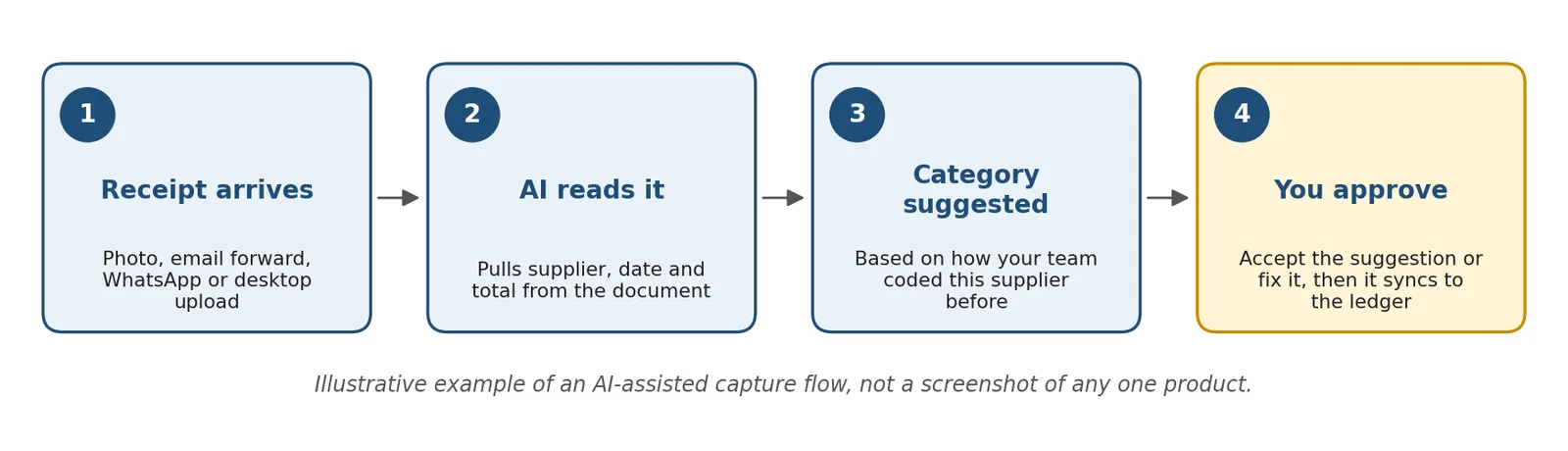
How AI-assisted capture typically works. This is an illustration, not a product screenshot.
4. Dext
Dext pulls in receipts and invoices from a phone, email, WhatsApp or desktop and syncs them to more than 36 accounting platforms. Its AI Assist feature turns your team’s past supplier and category decisions into automations you approve. Imagine a client who forwards forty receipts the day before quarter-end; this is the tool meant to take the sting out of that.
The Business plan starts at $25.21 a month billed annually ($302.50), covering up to 250 documents a month and five users. AI Assist is a paid add-on, listed at $10.50 a month until January 31, 2027. Firms get per-client pricing with a 10-client minimum, and there’s a 14-day free trial. Dext advertises accuracy above 99%, but that’s a marketing claim, so test it on your own messy receipts during the trial.
5. BILL
BILL is built for accounts payable and receivable. Essentials is $49 per user per month (accounting sync is manual CSV import and export), Team is $65 (and adds automatic two-way sync with QuickBooks Online, QuickBooks Pro/Premier and Xero), Corporate is $89, and Enterprise is custom. Spend & Expense is free.
On the AI side, an Invoice Coding Agent handles multi-line bill coding and comes with Team and above, not Essentials. A W-9 Agent that collects and verifies W-9 forms is included in all AP plans. That helps when a client’s bills each carry a dozen line items. For accountants, BILL’s AP & AR partner plan is a flat $49 a month. It includes wholesale client pricing you can resell, with an extra 10 to 20% client discount depending on how many clients you onboard. The Spend & Expense partner plan is $0.
Best AI for Accounting Firms: Practice Management and Tax Research
Once the ledger work is under control, the next big chunk of time goes to workflow admin and research.
6. Karbon
Karbon suits multi-staff firms whose work lives in email and shared workflows. Team costs $59 per user per month billed annually ($79 monthly), Business is $89 annually ($99 monthly), and Enterprise is custom. Monthly billing is only available for teams of four or more.
The site promotes AI-powered practice management and a Kai AI Coworker, but the pricing page doesn’t say which AI features come with which plan. Ask that in a demo or trial, and get the answer in writing before you pick a tier.
7. Blue J
Blue J is a tax research tool for US federal and state and local (SALT) questions. Individual access is $1,498 a year per user, Team pricing means contacting sales, and there’s a 7-day free trial with no card. You get unlimited questions, drafting and file uploads, with in-line citations. The company says it’s SOC 2 Type II compliant and predominantly trained on primary resources and Tax Notes’ news and commentary.
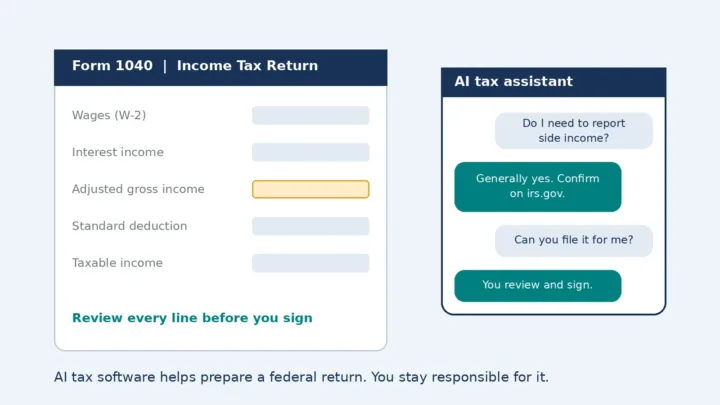
Read every citation before it goes into a memo. And before you upload anything with a client’s return data, think through Section 7216 (more in the checklist below). If you’re also weighing consumer-side options, our AI tax software guide covers those.
Best General AI Assistants for Accountants
For anything that touches client work, use a business-tier assistant, not a free consumer account.

Strip identifiers first, then use a business-tier assistant and review the result.
8. Microsoft 365 Copilot (Excel, Outlook, Teams)
Firms that live in Excel get the most from Microsoft 365 Copilot. The Copilot Business add-on is $18 per user per month paid yearly, a promotional price that runs through December 31, 2026; the regular price is $21. Microsoft says the promotion applies to the first year, needs an annual commitment and is limited to existing Microsoft 365 customers on an eligible business plan. Bundles run $23.50 per user per month for Business Standard with Copilot and $32 for Business Premium with Copilot, both paid yearly. Microsoft 365 Copilot Chat comes at no extra cost with eligible plans.
Say you’ve inherited a client’s workbook with a tangle of nested formulas. Copilot in Excel can help you untangle it, and it can also draft first-pass variance commentary or summarize a long email thread in Outlook. Treat what it gives you as a draft that a person reviews.
9. ChatGPT Business (ChatGPT for Accountants)
ChatGPT Business is a flexible assistant for drafting, analysis and research. According to OpenAI’s help center, Standard seats cost $25 per user per month, or $20 billed annually. Premium seats are $125 monthly or $100 annually, and a workspace needs at least two seats. OpenAI states that it doesn’t train its models on a business organization’s data by default. Free and consumer accounts follow different terms, which is a good reason to keep client details out of them.
A few prompts that work for accounting tasks:
- Draft a friendly email asking a client for the 14 receipts missing from March, with a Friday deadline.
- Here are anonymized monthly figures. Explain what could be driving the jump in supplies expense and list questions I should ask the owner.
- Rewrite this engagement letter paragraph in plain English at an eighth-grade reading level.
How to Choose the Right AI Tool for Your Practice
Match the tool to three things: your ledger, your biggest time sink and your firm size. This table gives you a starting point.
| Your situation | Where to start |
|---|---|
| Solo bookkeeper | Your ledger’s built-in AI, plus Dext or Booke AI |
| Small CPA firm | Add Karbon for workflow and Blue J for research |
| Microsoft shop | Microsoft 365 Copilot |
| Clients with heavy AP volume | BILL |
Whatever you pick, pilot it on two or three clients for 30 days. Count the hours it saves and the corrections it needs, then decide. A tool that saves two hours but adds one hour of cleanup isn’t the bargain it looks like.

A simple 30-day pilot plan.
Before You Upload Client Data: A Confidentiality Checklist
Five checks protect your license and your clients. For the rules behind them, see our AI in accounting guide.

The five checks at a glance.
- AICPA ET 1.700.040. Using a third-party service provider means having a contract with that provider or the client’s consent. Confirm the current wording of the AICPA Code before you rely on this.
- IRC Section 7216. Most disclosures or uses of tax return information need the taxpayer’s consent. The consent rule sits in Treas. Reg. 301.7216-3, which implements Section 7216.
- FTC Safeguards Rule. Tax preparation firms are covered. You must oversee your service providers and use measures such as multi-factor authentication and encryption. See the FTC’s guidance.
- Vendor paperwork. Ask for the SOC 2 Type II report and read the data-training terms.
- Your WISP. Update your written information security plan to cover each new tool; IRS Publication 4557 outlines the safeguards it should address.
FAQ
What is the best AI tool for accountants?
It depends on where your hours go. For most practices the sensible first pick is the AI built into the ledger your clients already use, whether that’s QuickBooks or Xero. Add a capture tool like Dext or an add-on like Booke AI once you know which task eats the most time.
Can bookkeepers use ChatGPT for client work?
Yes, with limits. Use a business plan, since OpenAI states it doesn’t train on business data by default, and strip names and identifying numbers from anything you paste. Check your confidentiality duties first, including Section 7216 if tax return information is involved.
Is there a free AI tool for accountants?
There are free entry points. Intuit’s Accountant Suite Core plan is free with 200 Intuit Intelligence prompts a month, and Microsoft 365 Copilot Chat is included at no extra cost with eligible plans. Dext and Blue J offer short free trials. Free doesn’t mean exempt from confidentiality rules, so the checklist above still applies.
Will AI bookkeeping software replace bookkeepers?
The tools in this list automate data entry, matching and first drafts, and several keep a human exception-review step. That points to a change in the work rather than its disappearance. How fast roles shift is hard to predict, and nobody should promise you a number.
Are AI accounting tools secure enough for client data?
Some may be, but you have to check each one. Blue J states that it’s SOC 2 Type II compliant; for the rest, ask for the report, read the data-training terms and confirm your contract covers the use. Never paste client personal information into a free consumer chatbot.
Related reading: how to analyze data with AI.
Related reading: how AI is changing auditing.
Bottom Line
Start with the AI inside your ledger, then add one tool aimed at the task that eats the most of your week. Keep client data in business-tier tools only. This month, pick one tool from this list and run a 30-day pilot on two or three clients. For the bigger picture, read our AI in accounting guide.
Was this article useful?
Thanks, that helps us decide what to write next.
Spotted a mistake? Report an error and we will fix it, with a dated correction note.
Disclaimer. This article is general information, not financial, tax, or investment advice. Figures describe specific cases at specific dates. Talk to a licensed professional before acting on anything here. Full disclaimer.