10 AI Workflow Automation Examples for Small Teams (2026)
Ten real AI workflow automations small teams can build across sales, finance and operations.

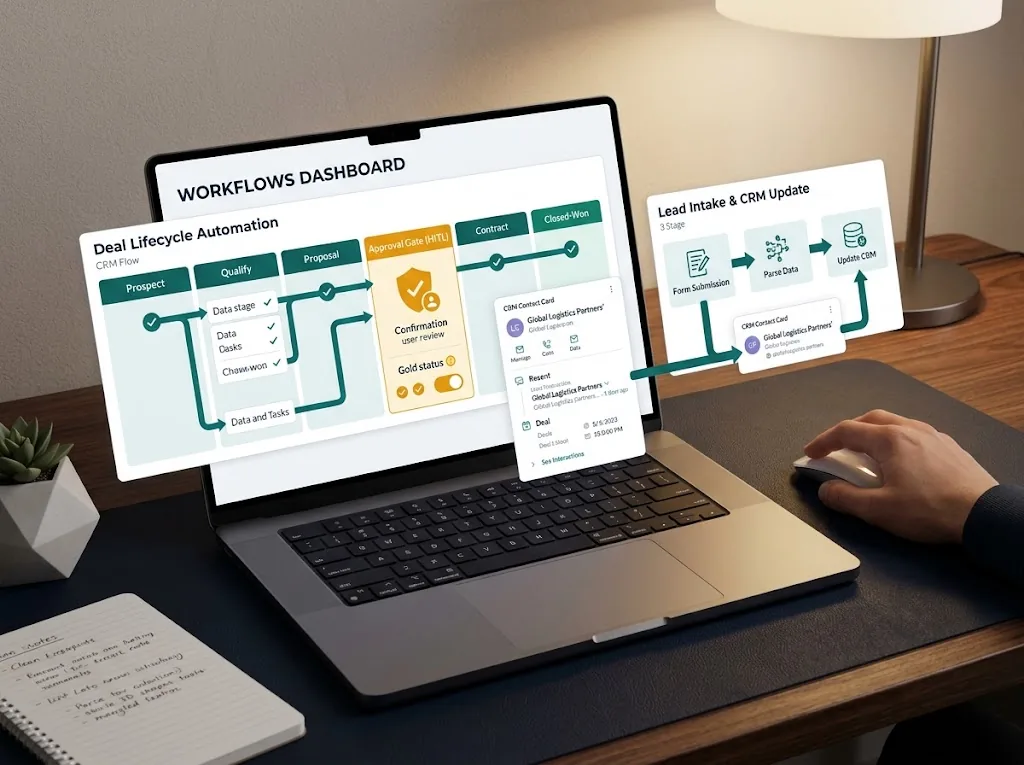
Most AI “case studies” you find online are not relevant to a small business. A multi-million dollar corporation automating its supply chain with machine learning does little to help a five-person marketing agency or a solo consultant.
You don’t need datasets or custom neural networks, you need specific workflows to handle the high-volume, repetitive tasks that cause operational drag.
AI workflow automation is different from traditional automation (think Zapier’s basic triggers) in that it uses a Large Language Model (LLM) – the “reasoning brain” – to understand messy, unstructured data. We have compiled 10 specific, buildable AI workflow automation examples across marketing, sales, finance, and operations that small teams are using this year to reclaim their critical time.
AI Workflow Automation Examples: Marketing & Sales
These examples focus on reducing time spent on qualification and lead research so your team can focus on closing deals.
Example 1: Inbound Lead Qualification & CRM Triage
This is a high-ROI starter workflow. Instead of manually reviewing every inbound contact form, an AI agent does it instantly.
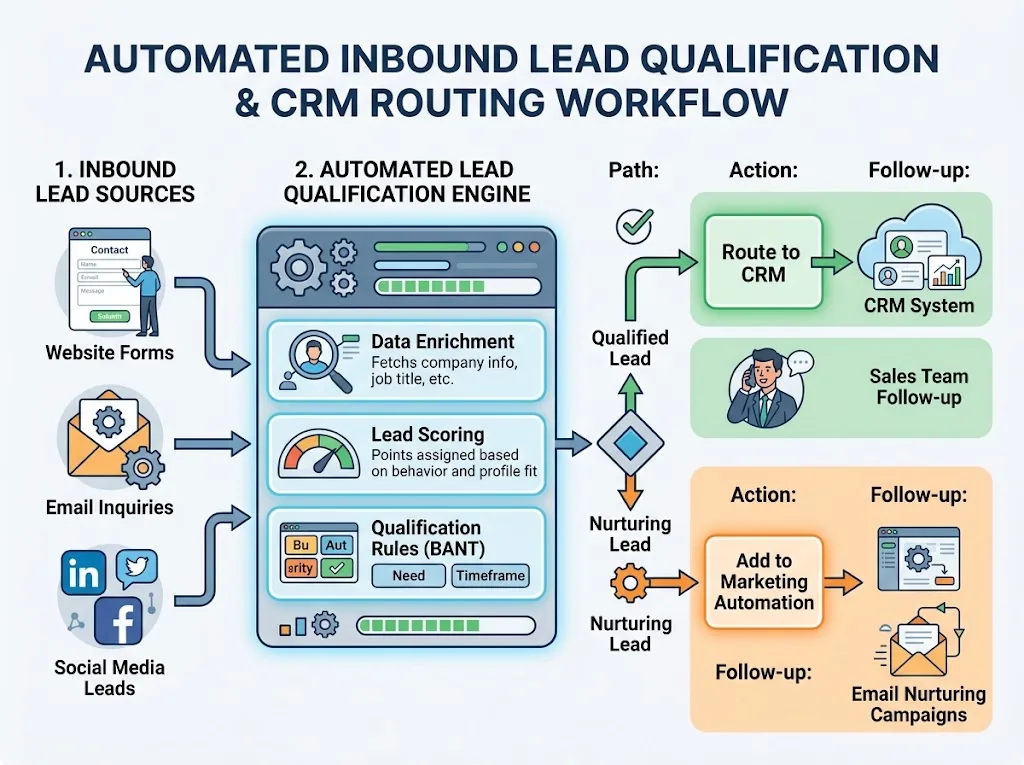
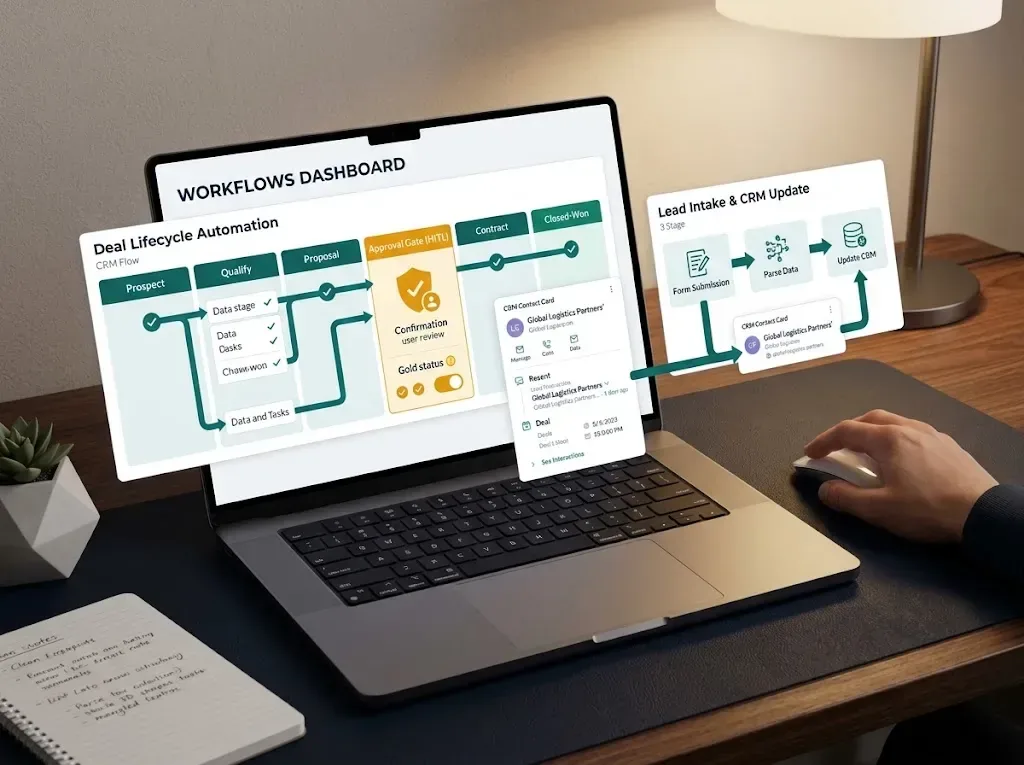
The Workflow: A prospect submits your website’s contact form (Trigger). The AI analyzes the message field against your ideal client profile (Brain/LLM). It estimates the lead’s budget, evaluates urgency, and checks for alignment with your services. If the lead is qualified, the workflow immediately creates a high-priority deal in HubSpot and notifies your team in Slack with a generated summary. If they are not a fit, it creates a polite, automated email draft for human approval before sending.
Prompt Logic: “Analyze this inbound message. If they mention a budget over $5k and a deadline, categorize as ‘High Priority’. Extract company name and primary goal.”
Example 2: Continuous Client Testimonial Collection
Positive feedback is often left hanging in messy emails or Slack channels. This workflow captures social proof automatically.
The Workflow: A customer leaves you a positive score in a NPS survey or responds enthusiastically via email (Trigger). The AI analyzes the sentiment of the message and identifies specific value statements. If the feedback is sufficiently glowing, the AI generates a customized, gentle request for permission to use their words as a quote, or prompts them with a direct link to your Google Business Profile.
Example 3: Cold Outreach Research Agent
Instead of spending significant time researching a prospect before sending a cold email, an automated agent can gather the essential data for you.
The Workflow: You add a prospect’s name and LinkedIn URL to a Google Sheet . An AI agent reviews publicly available information about the prospect (use only sources that allow automated access, such as official APIs or the prospect’s own website; LinkedIn’s terms restrict scraping), identifies recent company news, and summarizes their professional focus. The AI then writes 3 personalized “icebreaker” sentences you can use. The research is appended directly to your spreadsheet row, saving you significant context-switching time. If you need a step-by-step setup to build this without coding, review our complete guide on How to Automate Your Business With AI (No-Code, Step-by-Step).
Finance & Operations Automation Examples
These workflows target the operational friction that slows down cash flow and decision-making.
Example 4: Invoice Data Extraction & Triage
Manually entering supplier invoices and pasting their information into line items is an extremely time-consuming and error-prone process.
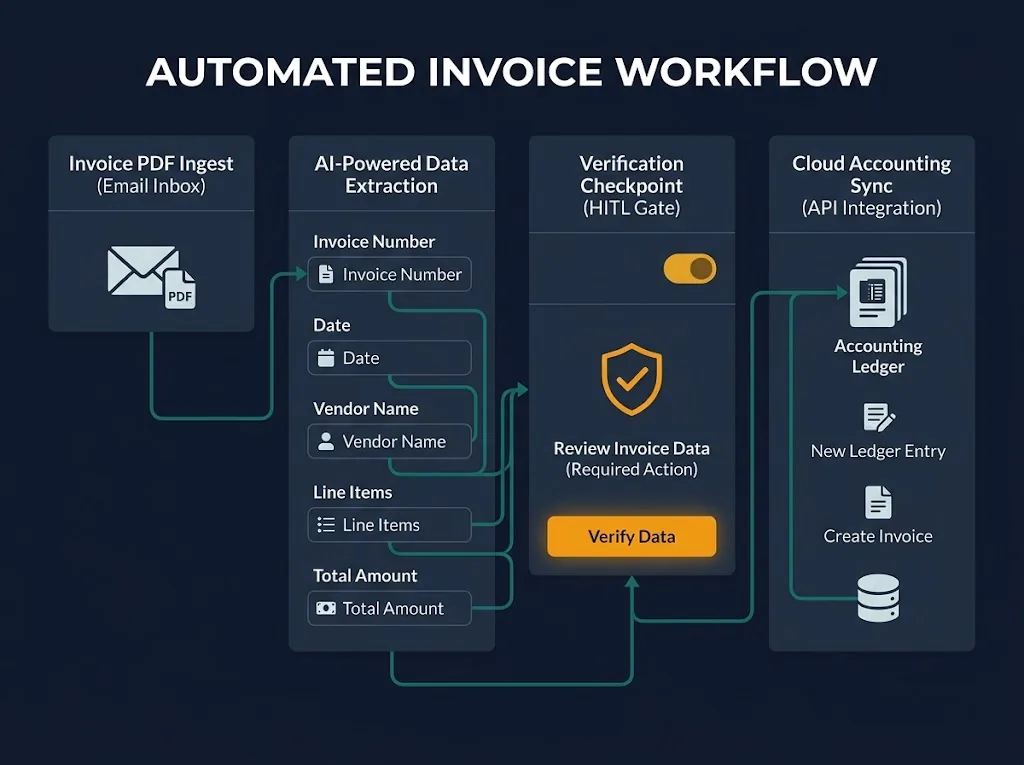
The Workflow: Incoming invoice PDFs arrive at a special accounts@yourbusiness.com mailbox (Trigger). The AI ​​parses this unstructured document, extracting the necessary information about the vendor, amount, and date of payment, as well as the number of the accompanying purchase order. The AI ​​sends an invoice summary as a message to the finance-approval channel with an Approve button (Action). After human approval, the information is automatically transferred to QuickBooks or Xero as an expense bill (Outcome).
Example 5: Meeting Transcript Summarization & Task Assignment
The most frequent cause of meeting drag is the administrative overhead required afterward.

The Workflow: A Zoom or Google Meet video conference concludes, generating a transcript file (Trigger). An AI processes the entire document. It generates a concise meeting summary, extracts all decisions made, and identifies specific action items (including the designated owner and deadline mentioned). These action items are automatically created as new tasks in your project management tool (e.g., Notion or Asana) and sent to the attendees via email.
| Input | Process (AI Brain) | Output |
|---|---|---|
| Meeting Transcript | Analyze sentiment, decisions, action items, deadlines. | Summary (Email), Tasks (Asana), and follow-up email draft. |
Customer & Administrative Workflows
These automations enhance user experience by reducing response times and maintaining high-quality CRM data
Example 6: CRM Data Enrichment & Cleanup
Your CRM’s value is directly tied to the quality of its data. This automation ensures your deal records are never incomplete.
The Workflow: A new deal is created in your CRM (Trigger). An AI agent browses the company’s website and public directory listings (Reasoning Agent). It automatically populates missing data fields like Company Size, Industry, Primary HQ Location, and Key Decision Maker Title. This enrichment ensures your segmentation and sales targeting are always accurate.
Example 7: Automated FAQ Response Drafting
Small teams get bogged down by identical support queries.
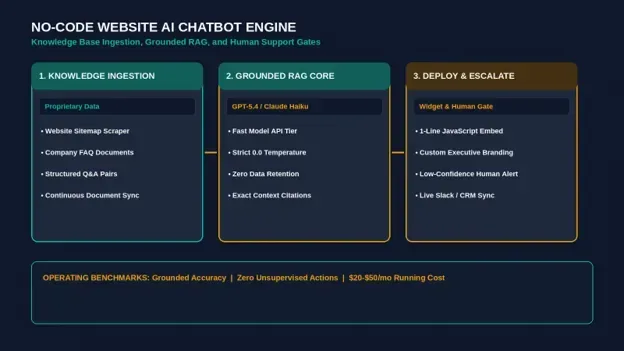
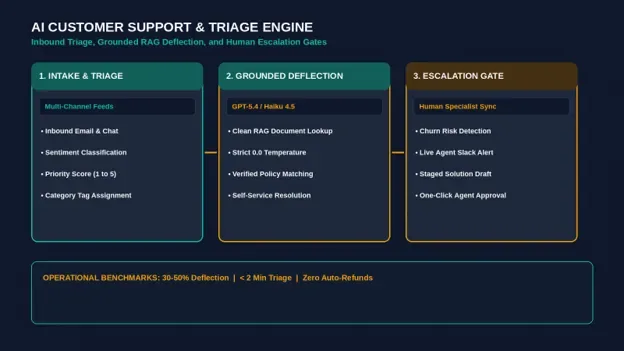
The Workflow: A customer submits a support ticket with a standard technical question (Trigger). The AI analyzes the question, accesses your internal company Notion documentation database (Reasoning/RAG agent), and drafts a complete, polite response containing the correct instructions. The draft is placed in your support desk queue for review and a quick ‘Send’ click.
Example 8: Social Media Content Repurposing
Generating new content for every platform is impossible for a small marketing team.
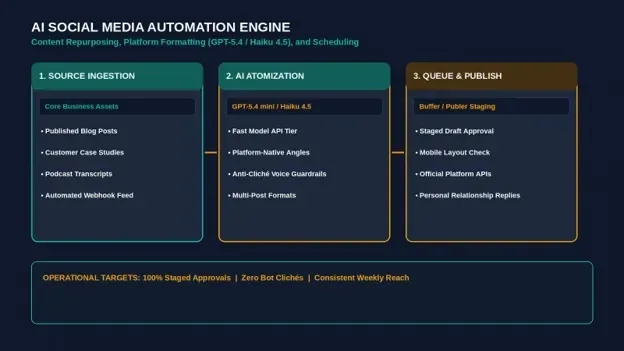
The Workflow: A team member publishes a new article on your WordPress blog (Trigger). The AI ingests the article’s text, summarizes the core concepts, and generates 5 optimized social media posts—one short post for X, one professional update for LinkedIn, and three conceptual image prompts you can use to generate supporting visuals. These drafts are saved in a spreadsheet or social scheduler (like Buffer) for final scheduling.
Example 9: E-Commerce Review Summarization & Reporting
Any e-commerce seller knows that they need to analyze customer feedback on products/services at scale, but reading through all of them would be too time-consuming.
The Workflow: Every week, on a Monday morning, an automation triggers, collecting all new reviews from Shopify or Amazon (Trigger). An AI reads through these user reviews, looking for common themes, negative spikes, mentions of product defects or requested features (Process). The AI summarizes the report and compiles a list of recommended actions for the founder/product lead, which is emailed to them for review (Outcome).
Example 10: Personal Assistant & Calendar Agent
The most scarce (limited) resource is focus, but you spend endless hours getting distracted by administrative tasks. This process uses your AI assistant to handle low-level administrative tasks.
The Workflow: You get an email from a business partner asking, “Hey, can you meet sometime next Wednesday afternoon to discuss the proposal?” (Trigger). Your AI assistant, which is synced to your Google Calendar, parses the context, finds the opportunities next Wednesday in your calendar, and drafts a proposed response email indicating the specific windows of opportunity, complete with a Calendly scheduling link.
Frequently Asked Questions
What are real-world AI automation use cases for startups?
Startups should prioritize time-saving automations over complex customer-facing bots initially. The highest-leverage start is automating Example 1 (Inbound Lead Triage) and Example 4 (Invoice Extraction) to preserve founder time and improve operational cash flow speed.
Are there AI workflow automation examples for accounting?
Yes. Example 4 (PDF invoice extraction) is the foundational financial automation. Other common accountant workflows include automating the reconciliation of monthly bank statements against specific transaction logs and using AI to flag high-risk liability or renewal clauses in incoming service agreements (e.g., a simple Example 8).
How do I set up an automated email workflow with AI?
Start by identifying a standard trigger, such as a contact form submission. Use a no-code visual builder like Make or Zapier to create the sequence:
| Step 1: Trigger | Step 2: AI Action | Step 3: Output |
|---|---|---|
| Form submission | LLM drafts response | Send or save draft in Gmail |
For complex setups, always implement a Human-in-the-Loop safety checkpoint where drafts are created but not sent on autopilot.
Selecting an example is not a binary choice; you should stack these workflows to compound your operational leverage. For guidance on prioritizing which of these examples your team should deploy first, review our foundational playbook on How to Automate Your Business With AI (No-Code, Step-by-Step).
Related Reading
- AI Automation for Business: The Complete 2026 Guide: the full guide to AI automation.
- n8n vs Zapier vs Make: Which Automation Tool Wins in 2026?: pick the right tool to build these.
Was this article useful?
Thanks, that helps us decide what to write next.
Spotted a mistake? Report an error and we will fix it, with a dated correction note.