How to Start a Faceless YouTube Channel With AI (2026)
How to build a faceless YouTube channel with AI tools, from monetization rules to your first script.

Want to know how to start a faceless YouTube channel with AI? You can do it without a camera, a ring light, or ever speaking on screen. AI can help with the script, the voice, and the visuals, which makes each video faster to produce. What it can’t do is skip the hard parts: picking a topic people search for, making videos worth watching, and posting steadily for months before YouTube pays you anything.
Note: This guide is general education, not financial or tax advice. Income isn’t guaranteed, and new channels can’t earn ad revenue until they meet YouTube’s requirements. Platform rules change, so check YouTube’s official pages before you rely on any number here.
What a Faceless YouTube Channel Is (and Isn’t)
A faceless channel is one where the content, not the creator’s face, is the draw. That covers narrated explainers, animated lessons, screen-recorded tutorials, stock-footage videos, ambient music, and gameplay commentary. The voice can be yours, an AI voice, or nothing at all.
Kurzgesagt, which makes animated science explainers, and Lofi Girl, which streams lo-fi music with an animated character, are well-known examples of the format. Both are established brands, so don’t treat them as typical first-year results.
Faceless doesn’t mean effortless. You still research, write, make editing choices, and build an audience. AI shortens each of those tasks, but it doesn’t remove any of them.
YouTube’s Monetization Rules in 2026
Before you build anything, know what the finish line looks like. YouTube has two levels of access, and the numbers below come from YouTube’s own Help pages.
- Early access (fan funding and Shopping): 500 subscribers, 3 public uploads in the last 90 days, and either 3,000 watch hours in the past 12 months or 3 million Shorts views in 90 days. This unlocks features like channel memberships, Super Thanks, and Shopping, but not ad revenue. It’s only available in certain countries, so check the list.
- Full access (ad revenue): 1,000 subscribers and either 4,000 watch hours in the past 12 months or 10 million Shorts views in 90 days. You also need 2-Step Verification, no active Community Guidelines strikes, and a linked AdSense account. See the YouTube Partner Program overview for the full list.
One change matters if you’re starting now. From February 1, 2027, YouTube is raising the ad-revenue bar for new creators to 8,000 watch hours in the past 365 days, or 20 million Shorts views in 90 days, and the 1,000-subscriber requirement stays. Creators already in the program aren’t affected, and the early-access numbers don’t change.
Here’s what the watch-hour number can mean in practice. Say viewers watch an average of 4 minutes per video (an assumption, just for illustration). Then 4,000 hours is about 60,000 views in total, or roughly 5,000 views a month for a year. Under the 2027 rule, the same math becomes 120,000 views. Only public long-form videos count toward watch hours, and Shorts views don’t count toward that number.
Meeting the numbers doesn’t guarantee approval. Every channel goes through a review, which YouTube says usually takes about a month, and reviewers look at your channel as a whole.
The Rule That Matters Most for AI Channels: Original Content
YouTube’s monetization policies require original, authentic content. In July 2025, YouTube renamed its “repetitious content” policy to “inauthentic content” to make clear it covers mass-produced or repetitive videos. YouTube’s own examples show that AI tools are fine when they help you tell an original story, such as editing a script or making a unique background.
The policy lists several things that aren’t eligible to monetize. They include image slideshows with little narration or commentary, videos that look like they were made from one template, and AI content built on generic templates with no original insight. Videos that stitch together unrelated AI clips with no clear story are also named.
Here’s the difference in practice. A channel that posts “Top 10 Facts” slideshows with the same template, the same stock clips, and an AI voice reading a generic script is at risk. A channel that researches one topic deeply, adds its own angle, and edits each video differently is on much safer ground.
Two more rules to know. YouTube doesn’t allow monetizing AI personas that pose as human experts giving health, legal, or financial advice. It also requires you to label realistic content made or meaningfully changed with AI, such as a cloned voice of a real person or a realistic scene that never happened.
Step 1: Pick a Winnable Niche (Faceless YouTube Channel Ideas)
Don’t start with “what do I want to make videos about?” Start with “who already watches videos like this, and can I give them something better or different?” Common faceless formats include:
- Explainers and education, such as history, science, and psychology
- Top-10 and ranking videos (these need a strong original angle)
- Relaxation, sleep, and ambient content
- Product reviews and comparisons using your own footage or screen recordings
- Gameplay commentary
- Motivation and self-improvement (these need real insight, not generic quotes)
A narrow niche is usually easier to stand out in than a broad one. “Space” is crowded. “The engineering failures behind famous space missions” gives you a clear angle. Formats that lean on templates, like quote videos and generic top-10 lists, carry the most monetization risk, so plan how each video will be truly different.
Step 2: Validate the Idea Before You Script It
Before you write anything, check that people are searching for the topic. Type it into YouTube’s search bar and note what autocomplete suggests. Then compare it in Google Trends.
Say you’re testing the space-engineering idea. Open three to five channels that cover similar ground and write down how often they post, how long their videos run, and which videos got the most views. If the same topic keeps showing up, that’s demand you can build on with your own angle. You’re not copying anyone. You’re learning what the audience already wants.
Step 3: Script It With AI
A tight script keeps people watching. Use an AI assistant like ChatGPT, Claude, or Gemini, and give it a specific prompt instead of a vague one. Include your niche, the hook you want, the length, and the tone. Here’s a prompt you can borrow:
Prompt: “Write a YouTube script on [topic] for a faceless channel. Open with a hook that creates curiosity in the first two sentences. Keep sentences short and conversational. Use 3 to 5 sections, each ending with a one-line takeaway. Aim for [X] words for a [Y]-minute video.”
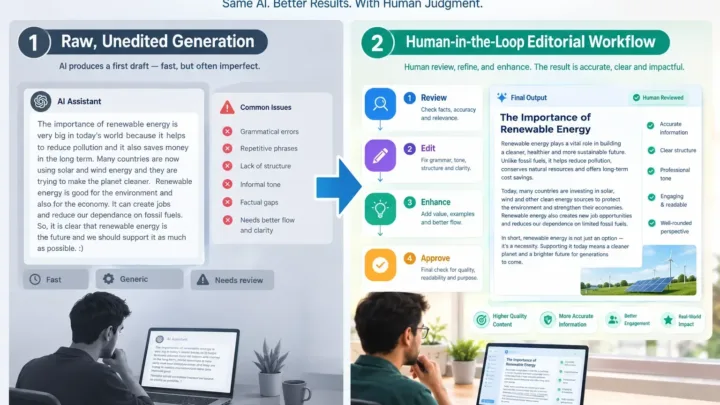
Never publish the first draft. Read it out loud, cut anything that sounds like an encyclopedia entry, and check every fact against a reliable source. Then add your own point of view. That last step is also what keeps your channel on the right side of YouTube’s originality rules.
Step 4: Generate the Voiceover With an AI Voice Tool
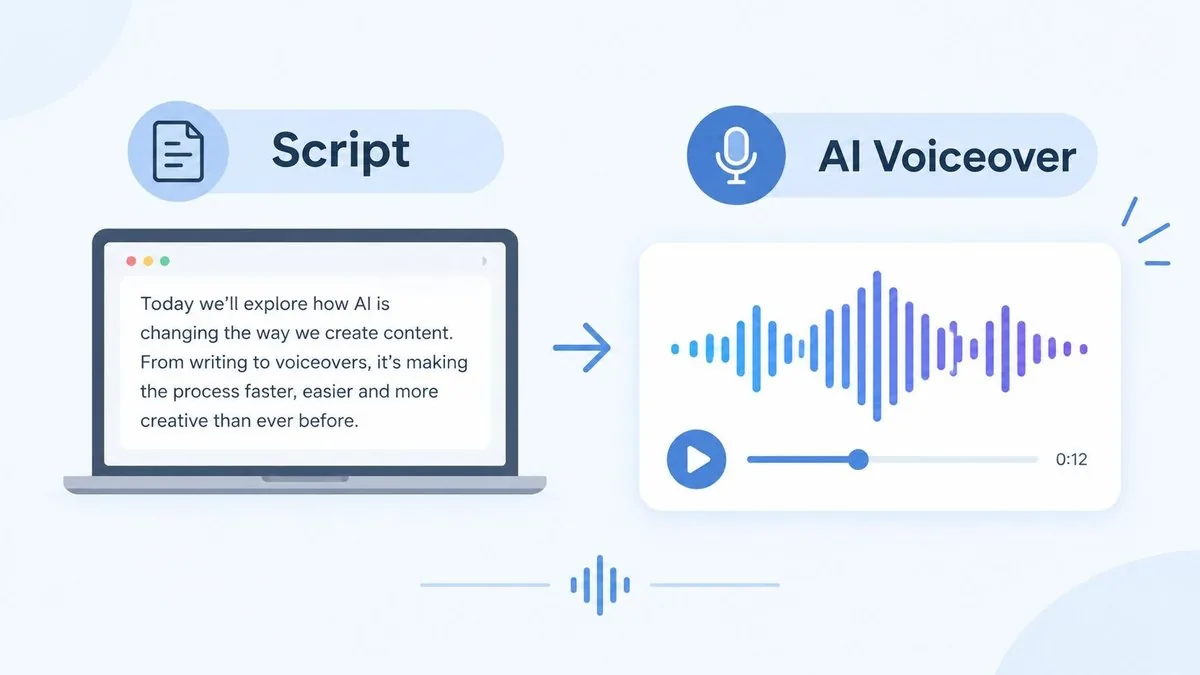
Once the script is final, turn it into audio with an AI voiceover generator for YouTube. ElevenLabs is one popular option. Before you publish anything you plan to monetize, read the license terms. For example, ElevenLabs’ free plan doesn’t include commercial rights, and its paid plans do (the cheapest paid plan, Starter, lists a commercial license, and promotional first-month prices may apply). Check its pricing page for current details.
Monetized videos are generally treated as commercial use, so a free plan usually isn’t enough. Save a copy of your plan’s terms for your records. If narration turns out to be your strongest skill, see our guide to selling AI voiceovers as a service.
Step 5: Build the Visuals
You have three realistic options, and many channels mix two of them:
- Stock footage and images with simple motion, like a slow pan and zoom, in an editor such as CapCut or Canva.
- AI-generated clips made from your script with an AI video tool.
- Screen recordings for tutorials and reviews.
Match the style to your topic. A history explainer usually works better with archival-style images than with AI clips that look slightly off. For the space-failures example, you might combine public archive images (check each source’s usage rules) with simple maps and your own narration.
Whatever you use, check the license for every image, clip, and music track. “Free to download” doesn’t always mean “free for monetized videos.”
Step 6: Publish on a Schedule You Can Keep
Consistency matters more than any single tool. Pick a schedule you can keep for months without burning out. For most solo creators, one video a week is a reasonable place to start. Once you have a routine, you can hand repetitive steps like file naming or upload reminders to simple tools; our guide to automating work with AI shows how.
A steady schedule also helps you build an audience that comes back. Here’s a sample week for one video:
- Monday: research and outline
- Tuesday: script with AI, then edit it by hand
- Wednesday: record the AI voiceover
- Thursday: build the visuals and edit
- Friday: make the thumbnail, write the title and description, and publish
Step 7: Monetize Beyond Ads
Ad revenue only starts after you meet the full requirements, and it’s rarely your only option. For a wider look at income ideas, see our guide to how to make money with AI. Here are ways to earn once you’re ready:
- Fan funding and Shopping. Channel memberships, Super Thanks, and Shopping are available at the early-access level in eligible countries.
- Affiliate links in your description. See our guide to AI affiliate marketing for how to pick programs. If you earn a commission, tell viewers clearly. The FTC’s influencer guidance says the responsibility to disclose is yours.
- Sponsorships, once your views are steady enough to pitch brands.
- Your own digital products, like templates or guides. See selling AI prompts if that fits your niche.
Money you earn from YouTube is generally taxable. Talk to a tax professional where you live about how to report it.
What It Costs to Start a Faceless YouTube Channel With AI
You can start with free tools and add paid plans as the channel grows. Prices change often and vary by country and billing period, so treat this as a snapshot and check each tool’s pricing page before you buy.
| Tool category | Example tools | What we found | Source |
|---|---|---|---|
| AI scripting | ChatGPT, Claude, Gemini | Free plans exist. Main paid plans cost about $20 a month (July 2026). | Notebookcheck |
| AI voiceover | ElevenLabs | The free plan has no commercial license. The cheapest paid plan (Starter) includes one; check the page for the current price (checked October 2026). | ElevenLabs |
| Video editing | CapCut | A free plan exists. Pro is listed at about $19.99 a month or $179.99 a year; app-store promotions can be lower. | eesel guide |
| Stock footage and images | Free and paid libraries | Many free libraries exist. Check each license for monetized use. | Check each site |
| Thumbnails | Canva | A free plan is available. Paid plans are optional. | Check Canva |
A lean start can cost only a few dollars a month: free plans for scripting, editing, and design, plus one paid voiceover plan that includes a commercial license. If you add a paid AI assistant and a paid editing plan, expect roughly $40 to $50 a month. That’s an estimate based on the prices above, not a quote.
What to Expect in the First Year
No one can promise you a timeline. Results depend a lot on your niche, your topics, and how good your videos are. Reaching the subscriber and watch-hour thresholds takes steady work, and then you wait for a review that usually takes about a month.
Be careful with income screenshots and “first month” claims. You can’t check them, and they tell you nothing about a typical channel. Treat your first ten videos as practice instead. Track how long each one takes, which topics get views, and where viewers stop watching in YouTube Studio. Those numbers will teach you more than any general timeline.
Common Mistakes That Hurt Faceless Channels
- Switching niches every few weeks. You never build an audience or learn what works.
- Posting template videos at scale. Reusing one layout, voice, and script style across dozens of videos is the pattern YouTube’s originality rules target.
- Skipping the hook. If viewers leave in the first few seconds, they never see the rest.
- Using assets you don’t have rights to. Unlicensed music, footage, or voices can cost you claims or monetization.
- Quitting too early. Growth is slow at first, so give yourself enough videos to learn from.
Frequently Asked Questions
Can I start with no experience using AI?
Yes. The tools in this guide are built for beginners, so you’re mostly choosing options and reviewing the output. You won’t need to learn professional editing software from scratch. Expect a learning curve in the first few videos anyway.
How long does one faceless AI video take?
It depends on the video length, your niche, and how much research and editing you do. Time your first three videos and use that as your baseline. Plan for research, script review, and editing to take longer than the AI steps.
Can faceless AI channels be monetized?
Yes, if they follow YouTube’s monetization policies, including the originality rules. Videos built from generic templates aren’t eligible. Videos where AI helps with the script or visuals and you add your own research and insight can be.
Do I have to tell viewers I used AI?
Only in some cases. YouTube requires a label for realistic content made or meaningfully changed with AI, like a realistic scene that never happened or a cloned voice. Clearly unrealistic or animated content doesn’t need one. YouTube says disclosing won’t limit your audience or your ability to earn, and you set it with the “AI use” option in YouTube Studio.
Is it really passive income?
No. It’s a real content business that gets more efficient with AI, not a hands-off income stream. For a deeper look, read our guide to AI passive income.
Related reading: how to make money with AI voiceovers.
How to Start a Faceless YouTube Channel With AI: Your Next Step
AI takes a lot of friction out of making videos, but it doesn’t replace a good topic, careful writing, and steady publishing. Start with one narrow niche, make your first ten videos before you judge the results, and follow YouTube’s originality rules from day one.
Your next step: Pick one narrow niche today, write down three video topics, and draft your first script with the prompt in Step 3.
Was this article useful?
Thanks, that helps us decide what to write next.
Spotted a mistake? Report an error and we will fix it, with a dated correction note.