Best Free AI Tools That Actually Work (2026)
Ten genuinely free AI tools for work with verified usage caps, honest trade-offs, and a practical $0 software stack.

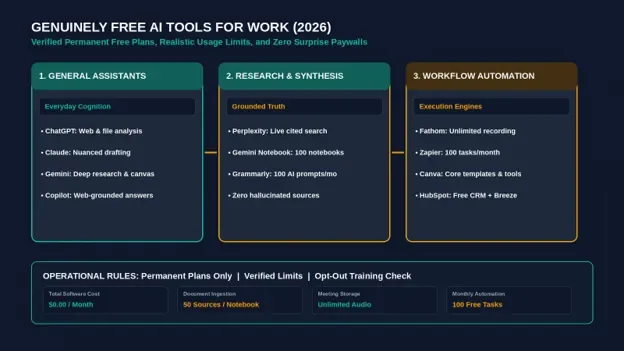
Ten genuinely free AI tools for work with verified usage caps, honest trade-offs, and a practical $0 software stack.
Finding the best free ai tools for professional work has become a minefield of misleading marketing. Most online roundups list thirty applications without mentioning that twenty of them require credit card trials, cut off access after three prompts, or lock essential export buttons behind aggressive paywalls.
Plenty of artificial intelligence software is truly free in 2026, but the secret to using it successfully is knowing each platform’s exact usage caps and operational trade-offs before integrating it into your daily routine. Every software vendor offers a free tier for a reason: they either throttle your throughput, display platform branding, or use your interaction data to train their future foundation models.
To cut through the noise, this guide focuses on ten genuinely free tools that deliver dependable utility for daily professional tasks—including drafting, deep research, visual asset creation, meeting transcription, and workflow automation. Every limit listed below was confirmed directly on the vendor’s official pricing or support documentation in October 2026. No trials, no credit card requirements, and no surprise lockouts.
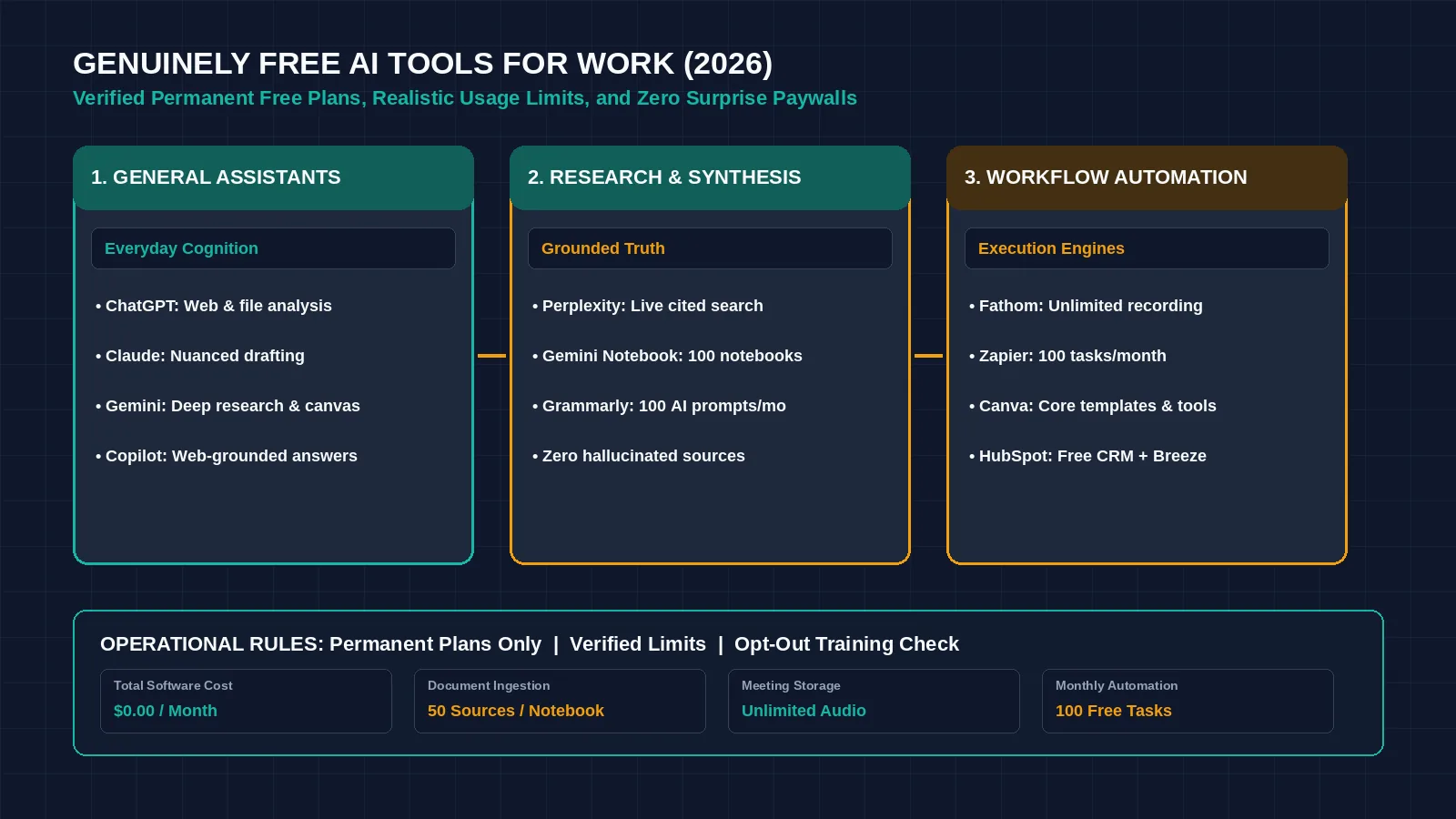
Figure 1: A focused $0 AI software stack provides enterprise-grade drafting, research, and automation capabilities without subscription overhead. Credit: AI-generated illustration by Minute Mind AI.
Best Free AI Tools at a Glance
The table below outlines our recommended free tools, their primary work use case, verified official allowances, key trade-offs, and the entry-level upgrade path if you outgrow them:
| Tool | Best For | What’s Free (Official) | The Catch | Upgrade From |
|---|---|---|---|---|
| ChatGPT Free | Multi-purpose drafting, web lookup, file analysis | Web search, file/image uploads, image creation; core features with variable usage limits | Content used for model training unless opted out in settings; unpublished dynamic rate caps | Plus ($20/mo) or Pro ($200/mo) |
| Google Gemini | Deep research, writing canvas, live audio interaction | Image creation/editing, Deep Research, Gemini Live, Canvas workspace, 15 GB cloud storage | Account activity tracked; usage limits apply during peak server demand | Google AI Pro ($19.99/mo) |
| Claude Free | Long-form document synthesis, nuanced writing | Web search, file uploads, code execution, memory, interactive Artifacts | Strict rolling message limits based on system capacity; unpublished dynamic caps | Pro ($20/mo or $17/mo billed annually) |
| Microsoft Copilot | Free web grounding and quick document assistance | Chat assistance, web-grounded answers, image generation | Native integration inside Word, Excel, and PowerPoint requires a paid subscription | Microsoft 365 Copilot add-on (business) |
| Perplexity | Fast, cited factual research | Practically unlimited basic searches, 3 Pro Searches/day, 1 research query/month | Advanced frontier models and AI image generation locked to paid tier | Pro ($20/mo or $200/year) |
| Gemini Notebook | Grounded question-answering on private documents | 100 notebooks per user, up to 50 sources per notebook (500k words per source) | Requires manual document uploads; audio overviews take several minutes to generate | Paid enterprise workspace add-ons |
| Grammarly Free | Basic proofreading and tone detection | Spelling, grammar, punctuation checks, and 100 AI prompt actions per month | Style suggestions, vocabulary rewrites, and full-sentence rewrites require paid tier | Pro ($12/mo billed annually) |
| Canva Free | Social graphics, presentations, simple marketing collateral | Core design templates, basic visual elements, and entry-level Magic Media AI generation | Advanced AI tools (Magic Eraser, Brand Kits, one-click resize) locked; limited monthly AI credits | Pro ($144/year, about $12/mo) |
| Fathom Free | Automated meeting transcription and executive summaries | Unlimited meeting recording, transcription, and AI summary generation for individual users | Advanced CRM syncing, team sharing libraries, and custom post-call routing require paid plans | Premium ($16/mo annual) or Business ($25/user/mo annual) |
| Zapier Free | Simple two-step app automation | 100 automated tasks per month, unlimited two-step Zaps | Multi-step workflows and branching logic require paid plans | Professional ($19.99/mo billed annually) |
Note: All platform allowances, usage limits, and tier names verified against official vendor documentation; prices checked October 2026.
What Counts as ‘Actually Free’ (Our Rules)
To earn a spot on this list, an application must satisfy four strict operational criteria:
- Permanent Free Tier: The platform must provide an ongoing, permanent free plan. We exclude 7-day or 14-day software trials that demand a credit card upfront.
- No Feature-Gated Exports: If an AI tool allows you to generate a document, image, or transcription, you must be able to export or copy that asset without hitting a paywall.
- Usable Weekly Capacity: The free tier allowance must be substantial enough to complete real, repeatable professional work each week—not a token allocation of two queries per month.
- Transparent Trade-offs: The vendor must explicitly publish their terms, platform restrictions, and data-handling practices.
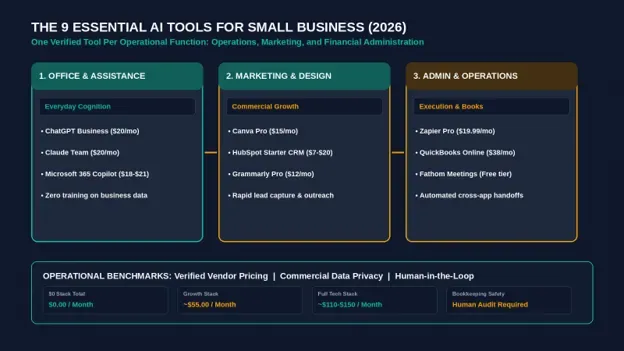
If you are expanding beyond zero-cost tools into dedicated commercial systems, compare long-term business platforms in our complete guide to AI tools for small business.
Free AI Chatbots for Writing and Everyday Work
An intelligent general-purpose assistant covers a large share of day-to-day administrative work: drafting correspondence, summarizing unstructured meeting notes, debugging spreadsheet formulas, and brainstorming strategic angles.
ChatGPT Free
OpenAI’s free tier provides broad general-purpose utility across conversational tasks. According to the official ChatGPT Free Plan specification, free accounts include real-time web browsing, file and image uploads for analysis, and image creation.
- The Free Limits: OpenAI operates on a dynamic throughput model: core features are available to all users, but strict, unpublished rate limits apply during high-traffic periods. When demand peaks, the platform automatically drops free users to faster, more lightweight model variants.
- The Catch: By default, OpenAI uses conversations from consumer free accounts to train its foundation models. If you paste proprietary company data or confidential client deliverables into the chat window, that information may be evaluated during training pipelines. You can disable this by navigating to Settings > Data Controls and toggling off ‘Improve the model for everyone’, though submitting feedback with the thumbs-up/down icons can re-enable human review of that specific prompt.
Google Gemini (Free)
Google provides an expansive free tier accessible with any standard Google account. As detailed on the Google AI Subscriptions portal, the standard tier includes access to multimodal understanding, image generation, the interactive Canvas workspace for editing code and documents, and Gemini Live voice interactions.
- The Free Limits: The free tier includes 15 GB of shared Google Drive storage and generous interaction ceilings. Advanced computational features like multi-step Deep Research runs are available in limited monthly allocations.
- The Catch: Gemini stores conversational history and activity within your Google account. If you require dedicated commercial data protection where your business data is contractually quarantined from model training, you must access Gemini through Google Workspace commercial licenses rather than the consumer web portal.
Claude Free
Anthropic’s Claude is widely recognized for generating natural, articulate prose and handling long technical documents with exceptional nuance. According to the official Claude Plans & Pricing documentation, the free plan provides access to web search, interactive Artifacts, code execution, and file attachments.
- The Free Limits: Anthropic enforces rolling session limits that reset every few hours. The exact number of messages you can send depends on current server capacity and the length of the documents you attach. Feeding large 80-page PDF files into a free session will consume your message allowance much faster than short text queries.
- The Catch: When platform demand surges, free users encounter temporary usage throttles and must wait several hours for their quota window to reset.
For writers evaluating specialized composition platforms, review our benchmark of the best AI writing tools compared.
Microsoft Copilot (Free)
Microsoft Copilot offers a dependable option for professionals working within the Windows and Edge ecosystems. According to Microsoft Support, Copilot is accessible at no cost via the web browser for general inquiries, search synthesis, and image generation.
- The Free Limits: Unauthenticated users can access basic search, while signing in with a free Microsoft account unlocks longer conversational sessions and image generation.
- The Catch: While the web assistant is entirely free, integrating Copilot directly into Microsoft Word, Excel, PowerPoint, and Outlook requires a paid commercial Microsoft 365 license.
Free AI Tools for Research
Generic web chatbots often generate convincing hallucinations when asked for exact citations. Dedicated research tools solve this by anchoring every generated sentence to verified web sources or your own uploaded documents.
Perplexity (Free)
Perplexity functions as an AI-powered conversational search engine. Instead of returning ten blue links, it reads the top web results and synthesizes a concise, directly cited answer with clickable footnotes.
- The Free Limits: According to the Perplexity Help Center, the free tier provides ‘practically unlimited basic searches’, three Pro Searches per day (which use multi-step reasoning to clarify questions), and one deep research query per month.
- The Catch: You cannot choose which underlying foundation model executes your query on the free tier, and image generation features are restricted to paid subscribers. However, for quick factual validation, the free basic search is fast, accurate, and completely unthrottled.
Gemini Notebook (formerly NotebookLM)
Originally launched as NotebookLM, Google’s document analysis environment was rebranded under the Gemini Notebook designation. According to Google Notebook Help, the free platform allows users to create up to 100 individual notebooks, with each notebook holding up to 50 source documents.
- The Free Limits: Each uploaded source document can contain up to 500,000 words. You can upload PDFs, Google Docs, text files, and YouTube URLs, creating a private knowledge base that answers questions strictly based on your supplied materials. It also includes the popular ‘Audio Overview’ feature, which generates a podcast-style discussion summarizing your notes.
- The Catch: Processing extensive source libraries takes noticeable compute time, and audio overview generation can take several minutes. Because the tool is grounded exclusively in your documents, it will decline to answer questions if your uploaded sources lack the necessary facts.
Free AI Tools for Writing Polish
Once an initial draft is generated, running the text through an editorial refinement tool catches awkward syntax, passive phrasing, and grammatical slips.
Grammarly Free
Grammarly remains the industry standard for real-time editorial assistance across web browsers, email clients, and word processors. As outlined on the official Grammarly Plans page, the free plan provides comprehensive spelling, grammar, and punctuation detection, basic tone indication, and 100 AI prompt actions per month for rewriting or drafting assistance.
The Catch: Stylistic enhancements—such as full-sentence structural rewrites, vocabulary diversification, and tone adjustments—are strictly locked behind Grammarly Pro ($12/mo billed annually). However, the 100 monthly prompt actions are sufficient for polishing critical client emails and executive memos.
QuillBot Free
QuillBot specializes in structural paraphrasing, sentence restructuring, and content summarization. According to the QuillBot Premium specification, free accounts can paraphrase up to 125 words at a time using two core modes (Standard and Fluency), check grammar, and summarize articles up to 1,200 words.
The Catch: Advanced stylistic modes (Formal, Creative, Shorten, and Expand) are disabled on the free plan, and you must process longer documents in modular, 125-word blocks.
For solo operators looking to balance budgets across tools, learn how to use ChatGPT for budgeting to plan your business expenses.
Free AI Design Tool: Canva Free
Creating marketing collateral, slide decks, and social media banners does not require expensive creative suites. As detailed in the Canva Help Center, the free tier provides access to thousands of layout templates, standard graphic elements, presentation builders, and entry-level generative tools via Canva Magic Media.
The Catch: Free users receive a limited monthly allowance of AI generation credits. Premium features—including one-click image background removal, custom brand kit storage, SVG exports, and instant layout resizing—are restricted to Canva Pro ($144/year, about $12/month). For basic social headers and presentation slides, the free tier is completely usable.
Free AI Tools for Meetings and Automation
The most substantial productivity gains come from automating administrative workflows: transcribing video calls and routing data between disconnected web applications.
Fathom Free
Fathom is an automated meeting intelligence assistant that connects directly to Zoom, Google Meet, and Microsoft Teams. According to official Fathom Pricing Documentation, the free individual tier provides 100% free, unlimited recording and transcription storage without arbitrary monthly time limits. The platform transcribes spoken dialogue in real time and generates structured, timestamped executive summaries highlighting key decisions and action items.
The Catch: Automated CRM deal synchronization (such as automatically pushing meeting summaries to HubSpot or Salesforce) and shared team folder repositories require a paid plan (CRM field sync is listed on the Business plan, $25/user/month billed annually). For solo consultants and freelancers, the free tier is exceptionally generous.
Zapier Free
Zapier serves as the digital infrastructure connecting disparate cloud software platforms. According to the official Zapier Pricing page, the free plan includes 100 automated tasks per month and allows you to build an unlimited number of two-step Zaps (e.g., Trigger: New Web Form Submission ──> Action: Send Slack Notification).
The Catch: Multi-step workflows (such as Form ──> AI Filter ──> CRM Deal ──> Email) and conditional branching paths require paid subscriptions starting at $19.99/month.
To see how Zapier compares against open-source and modular competitors, explore our architectural breakdown of Zapier vs Make vs n8n.
HubSpot Free CRM
HubSpot provides a foundational customer relationship management platform that includes embedded artificial intelligence tools. As detailed on HubSpot CRM Pricing, the free CRM supports up to two users and 1,000 contacts at no cost. HubSpot’s Breeze AI assistant is listed from the paid Starter plan ($20/seat/month list price), so treat the free CRM as a contact and deal tracker rather than an AI tool.
The Catch: Emails sent through the free tier include HubSpot branding badges, and advanced marketing automation workflows require paid upgrades.
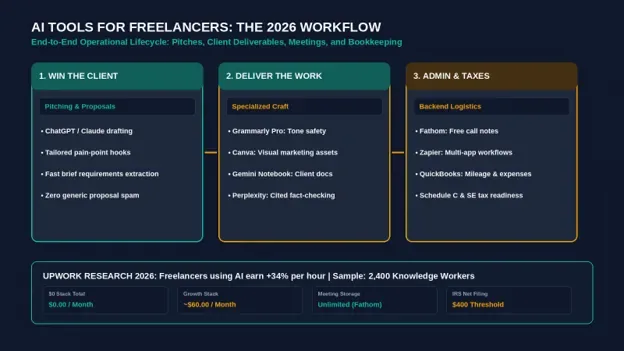
For solo founders looking for dedicated toolkits, review our guide to AI tools for freelancers.
The Catch With Free AI Tools
Software infrastructure carries real compute costs. When evaluating free software, you pay through one of three mechanisms:
- Throughput Throttles: Platforms dynamically throttle free accounts during peak business hours. When server loads spike, free users encounter rate limits or temporary queues.
- Platform Watermarks & Branding: Free tiers frequently embed promotional footers on customer-facing deliverables (e.g., ‘Sent via HubSpot’ or ‘Created with Canva’), which can signal budget constraints to external clients.
- Foundation Model Training Defaults: Unless explicitly opted out, consumer free accounts on platforms like ChatGPT utilize interaction logs to train future models. Never paste unredacted personal identifying information (PII), proprietary financial spreadsheets, or confidential customer agreements into a free consumer chatbot window.
A $0 AI Stack for Work
You can assemble a dependable, professional business stack without spending a dollar on software subscriptions. By assigning one dedicated free tool to each operational function, you cover most routine knowledge-work requirements:
| Operational Role | Recommended Free Tool | Critical Limit to Monitor |
|---|---|---|
| Everyday Assistant | ChatGPT Free or Claude Free | Dynamic hourly rate caps; disable data training in settings |
| Grounded Web Research | Perplexity (Free) | 3 Pro Searches/day; unlimited standard searches |
| Document Synthesis | Gemini Notebook | 100 notebooks maximum; 50 sources per notebook |
| Editorial Polish | Grammarly Free | 100 AI prompt actions/month; basic grammar is unlimited |
| Visual Assets | Canva Free | Standard template access; limited generative Magic credits |
| Call Intelligence | Fathom Free | Unlimited recording storage; manual export to CRM |
| Pipeline Routing | Zapier Free | 100 tasks/month; strictly 2-step single-action workflows |
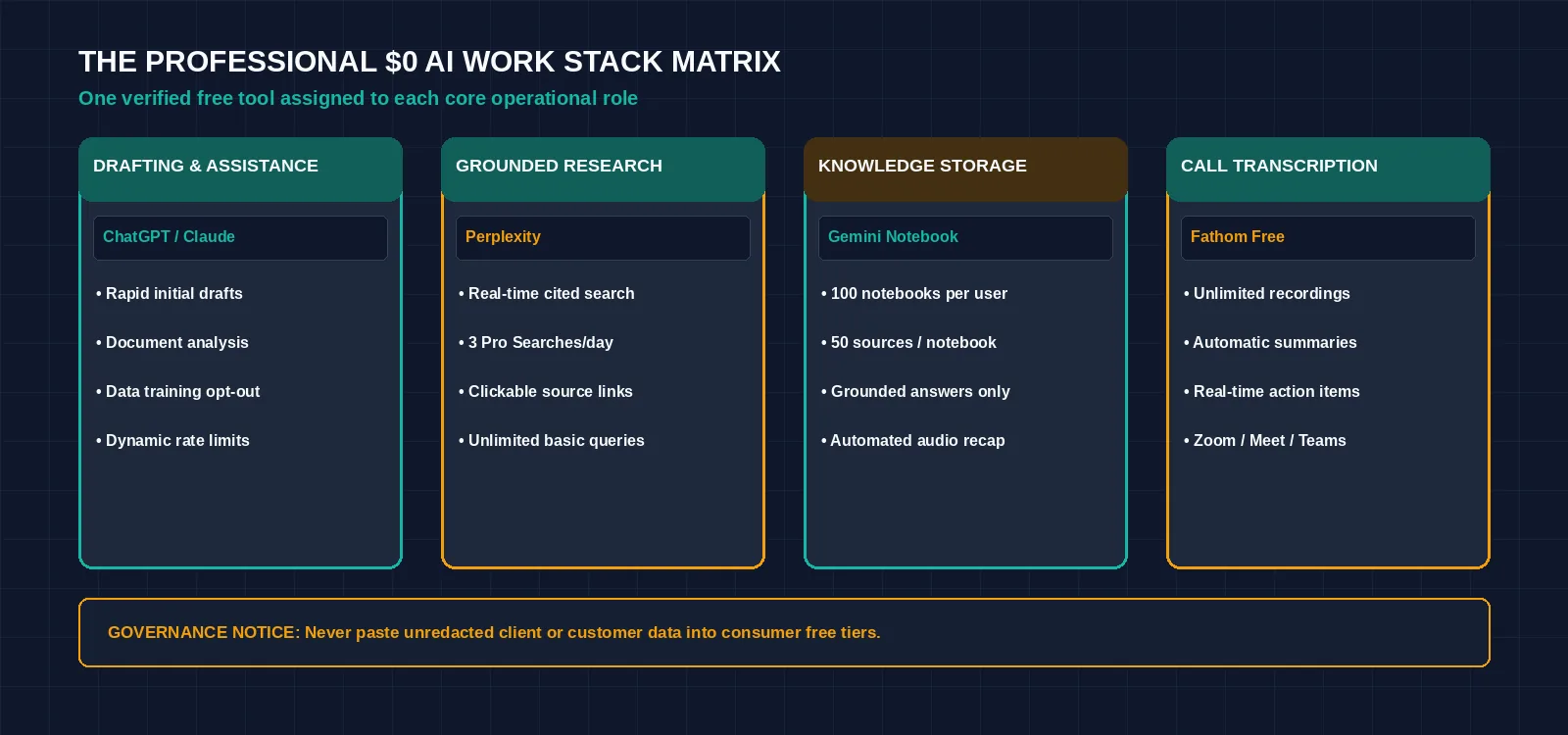
Figure 2: The complete $0 AI work stack connecting free-tier applications into a functional daily operational workflow. Credit: AI-generated illustration by Minute Mind AI.
When It’s Worth Upgrading
A $0 software stack is an operational stepping stone, not a permanent enterprise solution. You should consider upgrading when you encounter specific economic and operational triggers:
- When you hit the same quota wall three times in one week: If you frequently run out of Claude messages during a client deadline or exhaust your monthly Zapier tasks before mid-month, the billable time lost waiting for quota resets exceeds the subscription cost.
- When you handle sensitive client records: Upgrading to commercial business plans (such as ChatGPT Business or Google Workspace Enterprise) states that your business data is not used for model training (check each vendor’s business terms before you upgrade).
- When you require multi-step automation: If your lead intake requires qualifying a prospect, formatting CRM deals, and alerting team channels simultaneously, upgrading to a paid plan such as Zapier Professional ($19.99/mo) unlocks the necessary multi-action branching logic.
Verified Entry-Level Pricing Benchmarks
When you decide to upgrade, expect the following baseline entry tiers (prices checked October 2026):
- Google AI Pro: $19.99/mo (Google AI Plus is $4.99/mo).
- Grammarly Pro: $12.00/mo (billed annually).
- Claude Pro: $17.00/mo (billed annually) or $20.00/mo (monthly).
- Zapier Professional: starts at $19.99/mo (unlocks multi-step Zaps).
- ChatGPT Plus: $20.00/mo (higher rate limits and priority compute access).
Frequently Asked Questions
What is the best free AI tool right now?
For broad general-purpose drafting and analysis, ChatGPT Free and Claude Free offer the most versatile utility. If your primary requirement is verified factual research with clickable citations, Perplexity is the most reliable option.
Is ChatGPT still free in 2026?
Yes. OpenAI continues to offer a permanent free tier that includes web browsing, file analysis, and image generation. However, free accounts are subject to dynamic rate throttling during peak traffic periods, and conversations are used for training by default unless you disable the setting in your data controls.
Are free AI tools safe for business data?
Free consumer AI accounts are generally not recommended for sensitive business data. Most consumer free tiers reserve the right to process inputs for model evaluation and training. If you must use free accounts for work, anonymize your data by removing company names, client details, and proprietary financial metrics before submitting queries.
Which free AI tools don’t require a sign-up?
Perplexity and Microsoft Copilot allow users to run basic web search queries without creating an account. However, accessing file uploads, history tracking, and custom personalization requires signing into a free account across all platforms.
What’s the best free alternative to ChatGPT?
Claude Free is the strongest alternative for writing nuanced, articulate long-form text. For document-specific analysis, Google’s Gemini Notebook provides superior contextual grounding by searching strictly within your uploaded reference files.
Bottom Line
You do not need a portfolio of expensive monthly software subscriptions to take advantage of artificial intelligence. Choose one reliable conversational assistant for drafting, one grounded research engine for factual validation, and one transcription tool for meetings. Master their free capabilities, monitor your data privacy settings, and upgrade only when your workload consistently outgrows the free allowances.
To explore how free and commercial tools fit into an overarching operational technology strategy, read our comprehensive manual on the best AI tools for modern enterprise workflows.
Was this article useful?
Thanks, that helps us decide what to write next.
Spotted a mistake? Report an error and we will fix it, with a dated correction note.