How to Use ChatGPT for Budgeting (Step-by-Step + Prompts)
A step-by-step system and seven copy-ready prompts for building a budget with ChatGPT.

Not medical, legal, or financial advice. This article is for general education. Talk to a licensed financial professional about your specific situation.
If budgeting has never really worked for you, willpower probably isn’t the problem. Spreadsheets are tedious to build, and most budgeting apps assume you already know how to sort your own spending into sensible categories. Learning how to use ChatGPT for budgeting gets rid of a lot of that friction: type in a rough list of your income and bills, in plain English, and you’ll have a structured monthly budget in a few minutes.
It won’t do everything, though. It can’t see your bank account, it won’t remember last week’s conversation unless you bring the numbers back yourself, and it has no way of stopping you mid-scroll before an impulse buy. Used well, with the right inputs and a couple of safety rules, it works surprisingly well as a budgeting coach — used carelessly, it’s just a chatbot guessing at numbers nobody gave it.
Below is a system that holds up over more than one month, along with seven prompts you can paste in today.

Can ChatGPT Actually Build a Budget?
Yes, with one caveat worth remembering. It’s good at the planning half of budgeting: sorting expenses into categories, applying a method like 50/30/20, running “what if I cut this” scenarios, and explaining the trade-offs without jargon. What it can’t do is verify your numbers or track what you spend after the chat window closes, because it has no connection to your accounts. Picture it as a smart friend who’s good with money, sitting down with you once a month — not the ledger itself.
Before You Start: The Safety Rules
Most guides bury this at the bottom. It belongs first.
- Never type a full account number, routing number, Social Security number, or card number into any AI chat — ChatGPT included.
- Use round, approximate figures. “About $3,800 take-home” is fine. Pasting a screenshot of an actual statement is not.
- If privacy matters to you, check the privacy settings and opt out of having your conversations used to train models, if the option is offered.
- Treat anything it tells you about tax rules or account-specific advice as a starting point to double-check, not a final answer. It can sound confident while being wrong.
For official guidance on protecting your financial information online, the Federal Trade Commission and the Consumer Financial Protection Bureau are solid starting points.
Step 1 — Snapshot Your Money
Pull up your last pay stub and bank statement instead of trying to recall the numbers from memory — people commonly underestimate their own spending when they guess from memory rather than checking their actual statements. You’ll want:
- Take-home income, from every source
- Fixed bills: rent or mortgage, insurance, loan payments, subscriptions
- Rough monthly totals for variable spending: groceries, gas, dining out, shopping
Prompt 1 — Build the snapshot:
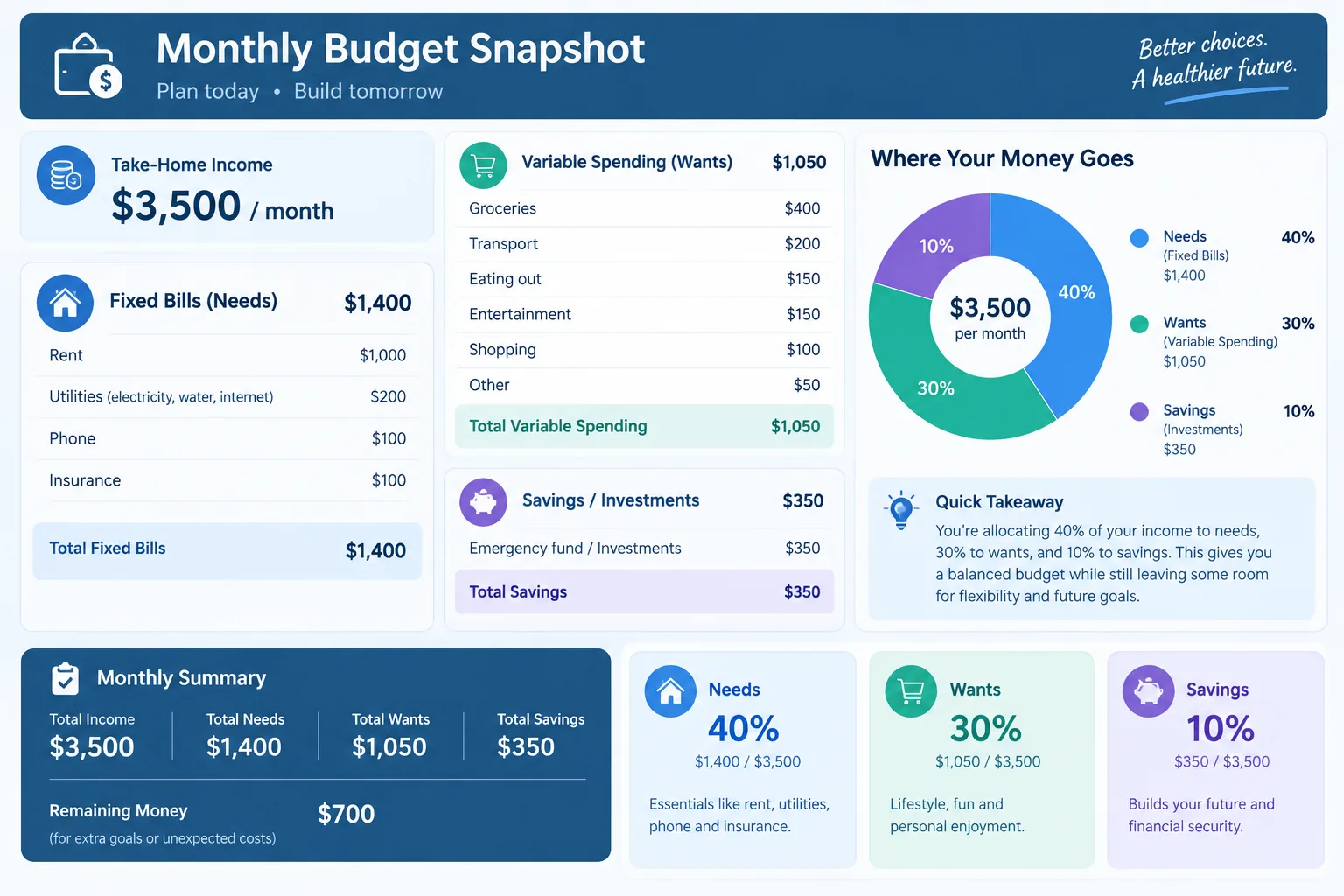
“I want to build a monthly budget. My take-home income is $[amount]/month. My fixed bills are: [list with amounts]. My average variable spending is: [list with amounts]. Summarize this as a clear monthly snapshot and tell me what percentage of my income is going to needs, wants, and savings.”
Step 2 — Sort Essentials From Everything Else
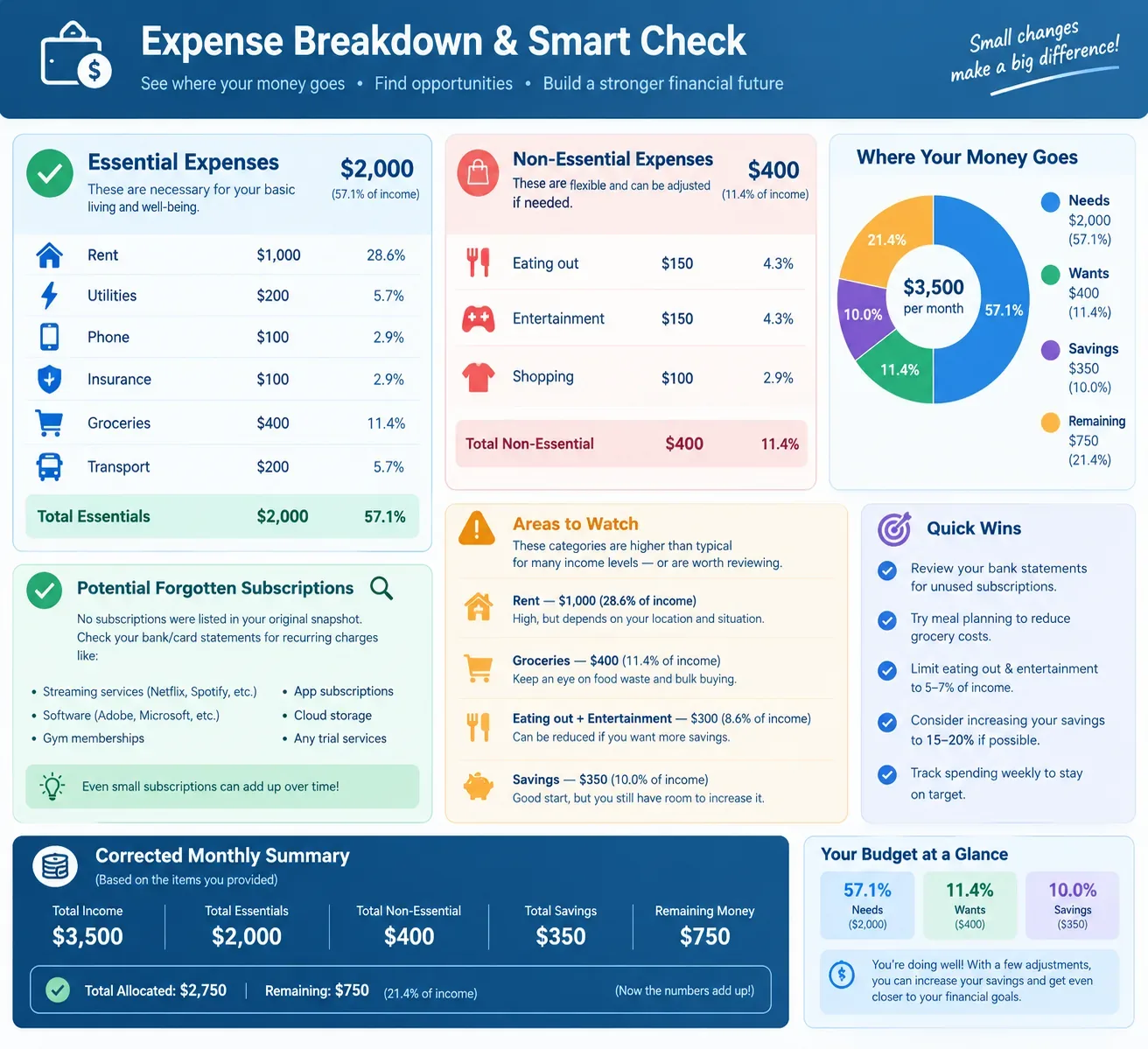
Once it has your numbers, have it split needs from wants. A second set of eyes helps here, since people often lump a “want” — a streaming bundle, a delivery app — into fixed costs simply because they’ve been paying it for years without thinking about it.
Prompt 2 — Sort spending:
“Based on the snapshot above, sort my expenses into ‘essential’ and ‘non-essential’ categories. Flag anything that looks like a forgotten subscription or a category where I might be spending more than typical for my income level.”
Step 3 — Set a Goal You’ll Actually Hit
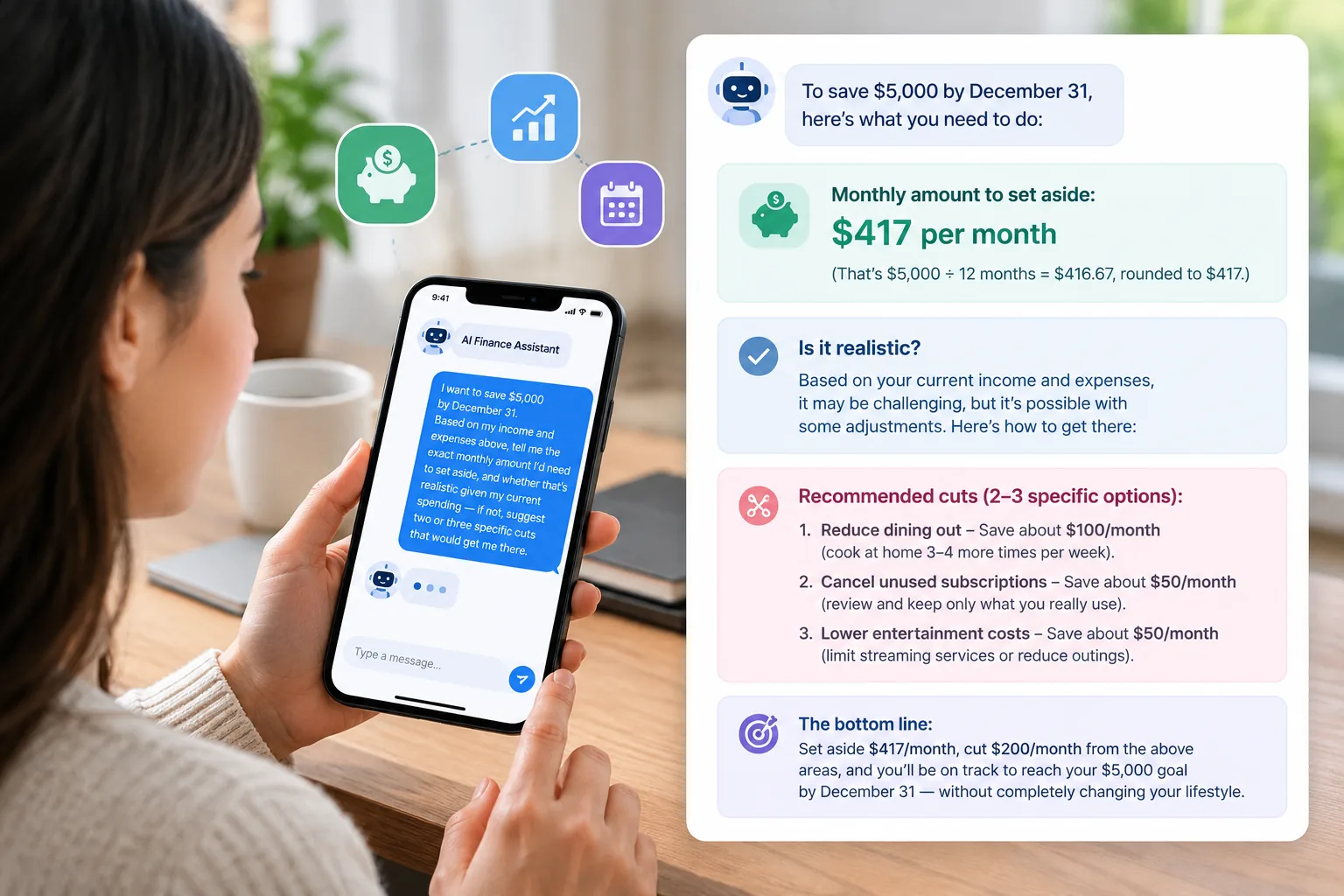
A goal that’s too aggressive collapses by week two. Ask it to reverse-engineer a target from your real numbers rather than picking a round figure out of thin air.
Prompt 3 — Set the goal:
“I want to save $[amount] by [date]. Based on my income and expenses above, tell me the exact monthly amount I’d need to set aside, and whether that’s realistic given my current spending — if not, suggest two or three specific cuts that would get me there.”
Step 4 — Pick a Budgeting Method
There’s no single right answer here. It depends on how steady your income is and how much structure you personally need.
| Method | How It Works | Best For |
|---|---|---|
| 50/30/20 | 50% needs, 30% wants, 20% savings/debt | Steady paycheck, wants simplicity |
| Zero-based | Every dollar assigned a job before the month starts | People who want full control |
| Digital envelope | Fixed spending buckets per category | Overspenders who need hard limits |
| Pay-yourself-first | Savings pulled out first, budget the rest | Anyone who keeps failing to save “leftovers” |
Prompt 4 — Pick a method:
“Given my income stability and the goal above, which of these fits me best: 50/30/20, zero-based, envelope, or pay-yourself-first? Explain your reasoning in two sentences, then build my budget using that method.”
Step 5 — Run “Can I Afford It?” Scenarios
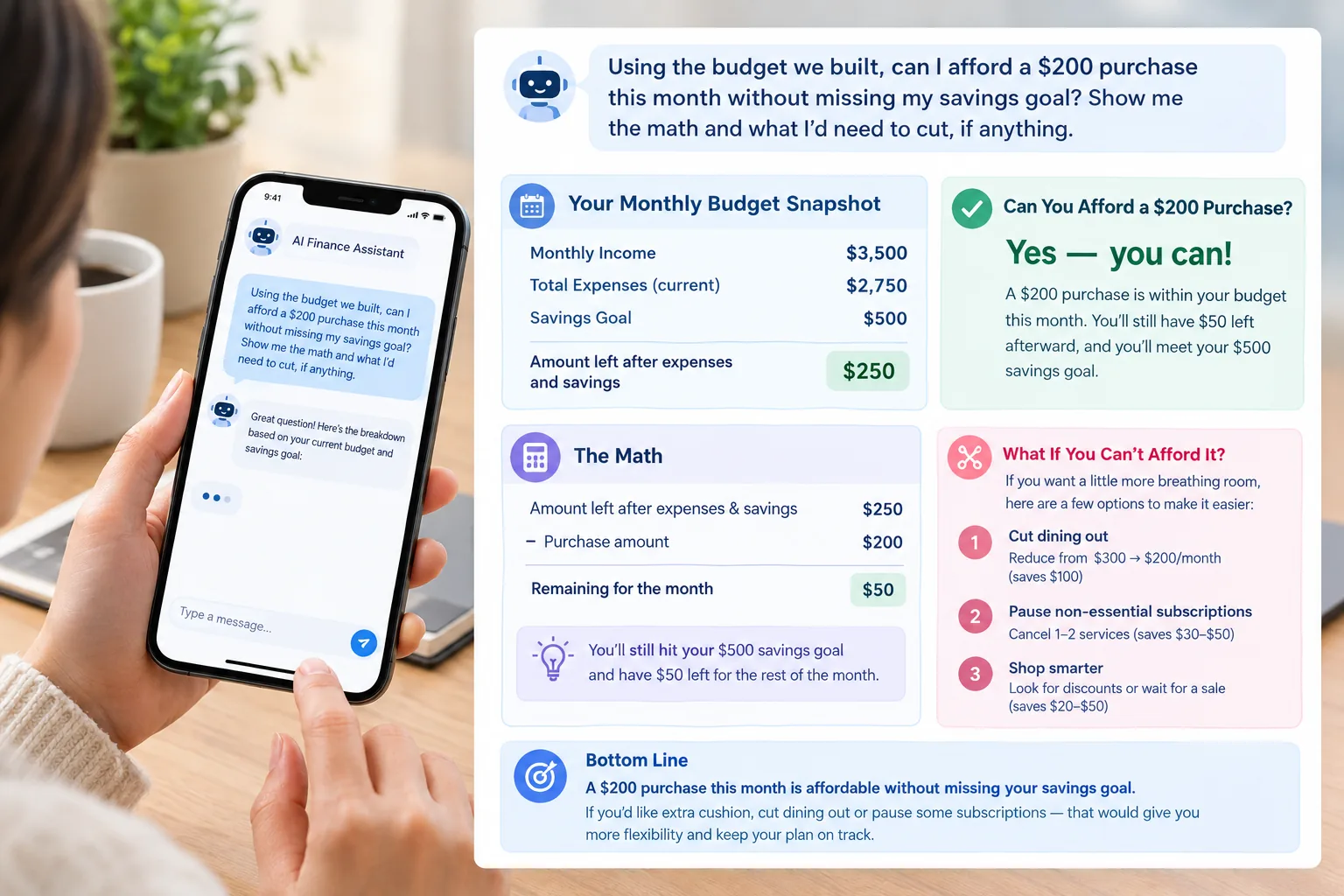
This is where the whole exercise starts paying off week to week rather than just once a month. Before a bigger purchase, run it past the plan you’ve already built.
Prompt 5 — Scenario check:
“Using the budget we built, can I afford a $[amount] purchase this month without missing my savings goal? Show me the math and what I’d need to cut, if anything.”
Step 6 — Do the Monthly Review
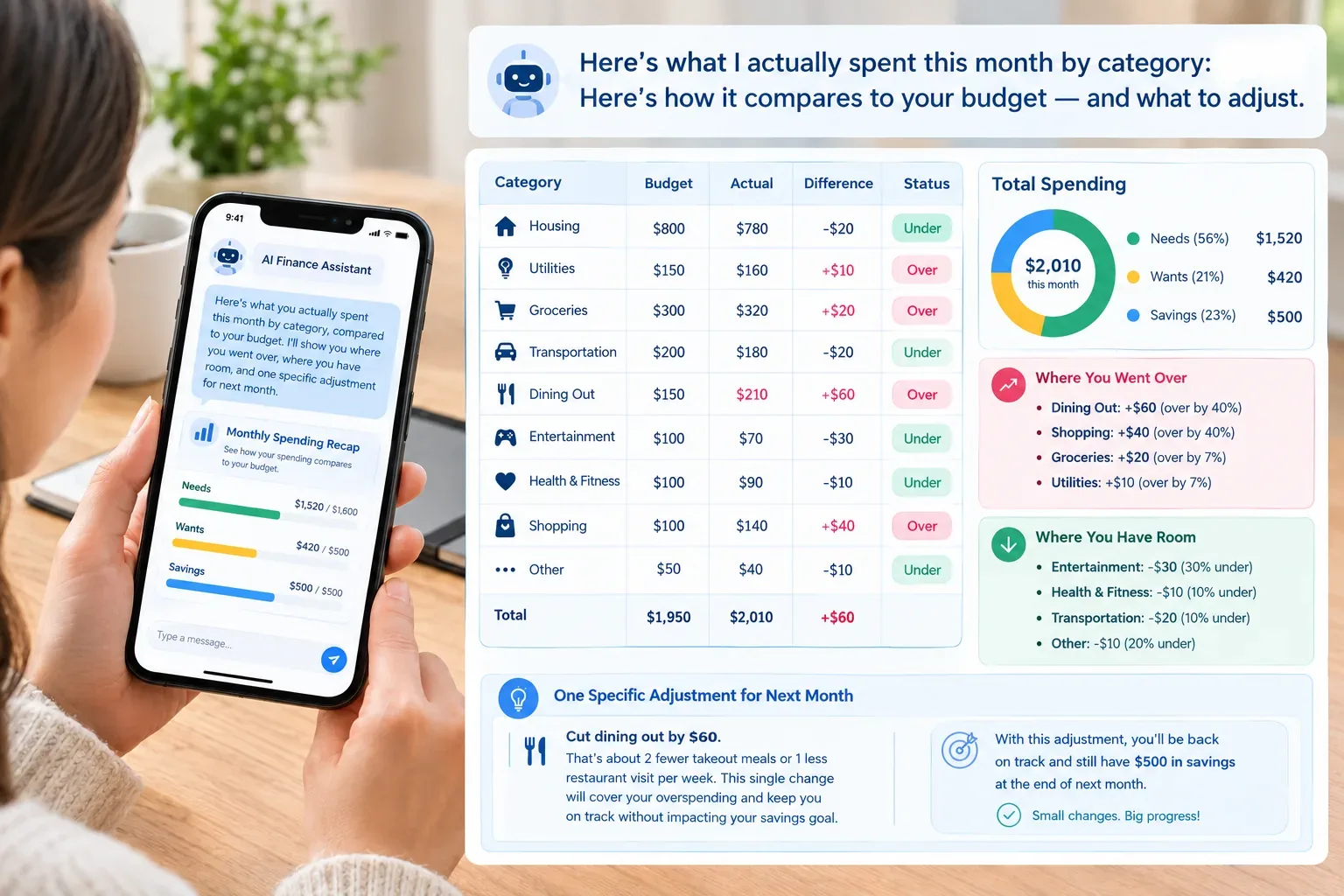
Budgets rarely fail from bad math. They fail from neglect. Pick one day a month and treat it like a recurring appointment — fifteen minutes with your actual numbers next to the plan.
Prompt 6 — Monthly review:
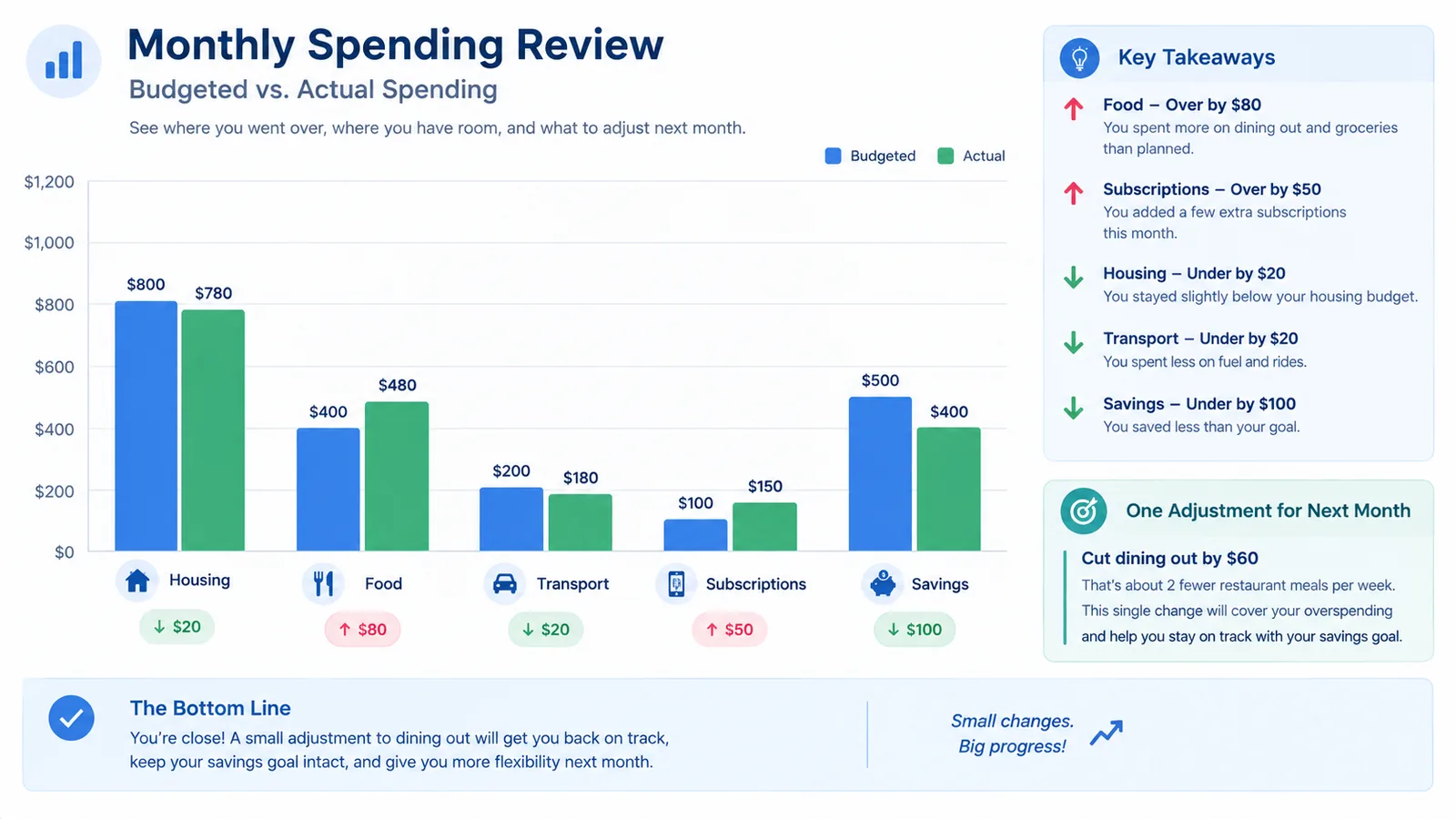
“Here’s what I actually spent this month by category: [list]. Compare it to the budget we built and tell me where I went over, where I have room, and one specific adjustment for next month.”
Prompt 7 — Debt or credit tie-in:
“I have $[amount] in extra room in this month’s budget. Should I put it toward my [debt/emergency fund/savings goal], and why?” (Our full guide on using AI to pay off debt faster goes deeper on this decision.)
Where It Falls Short
Be honest about the limits before you rely on this too heavily:
- No live bank connection — it can’t see what you spent unless you tell it
- No memory between sessions, unless you keep bringing the numbers forward yourself
- No overspending alerts
- Nothing resembling fraud monitoring
For most people, the setup that actually holds up is pairing this with a real budgeting app: use ChatGPT for the thinking — building the plan, running scenarios, doing the monthly post-mortem — and let an app handle day-to-day tracking because it’s actually linked to your accounts. If you don’t have one yet, our 11 best AI budgeting apps roundup is a good place to start.
Frequently Asked Questions
Is it safe to use ChatGPT for budgeting? It’s fine as long as you keep account numbers, Social Security numbers, and passwords out of it, and stick to rounded figures instead of exact bank data.
Can ChatGPT create a budget? Yes — give it your income and expenses in plain language and it’ll sort spending into categories and build a budget around whatever method fits you, like 50/30/20.
What should I never share with ChatGPT? Full account numbers, routing numbers, Social Security numbers, card numbers, login credentials. Approximate dollar amounts work just as well and keep you safe.
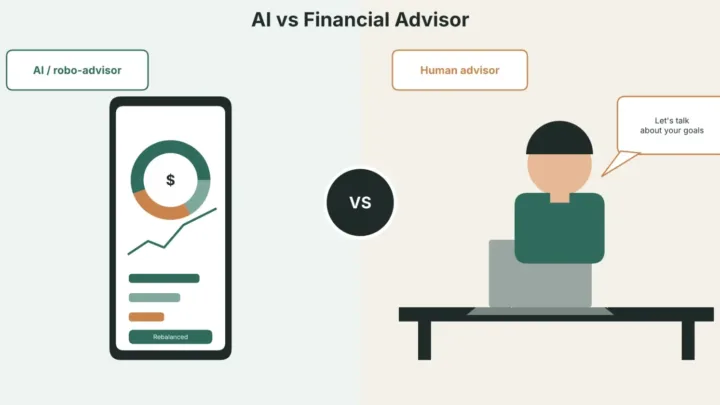
Is ChatGPT better than a budgeting app? They do different jobs. ChatGPT is stronger for planning and reasoning through a decision; an app wins on automatic tracking because it’s actually connected to your bank.
Can ChatGPT help me pay off debt? It can, by comparing payoff strategies and modeling timelines from numbers you give it — see our guide on using AI to pay off debt faster for the full walkthrough.
Bottom Line
A real budgeting app will always beat ChatGPT on tracking, since it’s the one actually linked to your bank. But as a free planning partner — one that helps you build a realistic budget, sort your priorities, and catch problems before they compound — it holds up well, as long as the numbers you feed it are real and the sensitive stuff stays out of the chat. Start with the snapshot prompt, choose a method that matches how you actually live, and put the monthly review on your calendar so it survives past the first few weeks.
Related reading: AI personal finance tools and strategies.
Related Reading
- AI in Personal Finance: The Complete 2026 US Guide: the full guide to AI in personal finance.
- How to Use AI to Save Money: 9 Practical Ways (2026): more ways to cut spending with AI.
- Can AI Manage Your Money? What It Can and Can’t Do: how far to trust AI with your money.
Figures and tool behavior can change — verify current ChatGPT features against OpenAI’s official help documentation before relying on them.
Was this article useful?
Thanks, that helps us decide what to write next.
Spotted a mistake? Report an error and we will fix it, with a dated correction note.
Disclaimer. This article is general information, not financial, tax, or investment advice. Figures describe specific cases at specific dates. Talk to a licensed professional before acting on anything here. Full disclaimer.