How to Use AI to Improve Your Credit Score (2026)
How AI can help you understand your credit report, plan fixes and draft disputes, and what it cannot do.
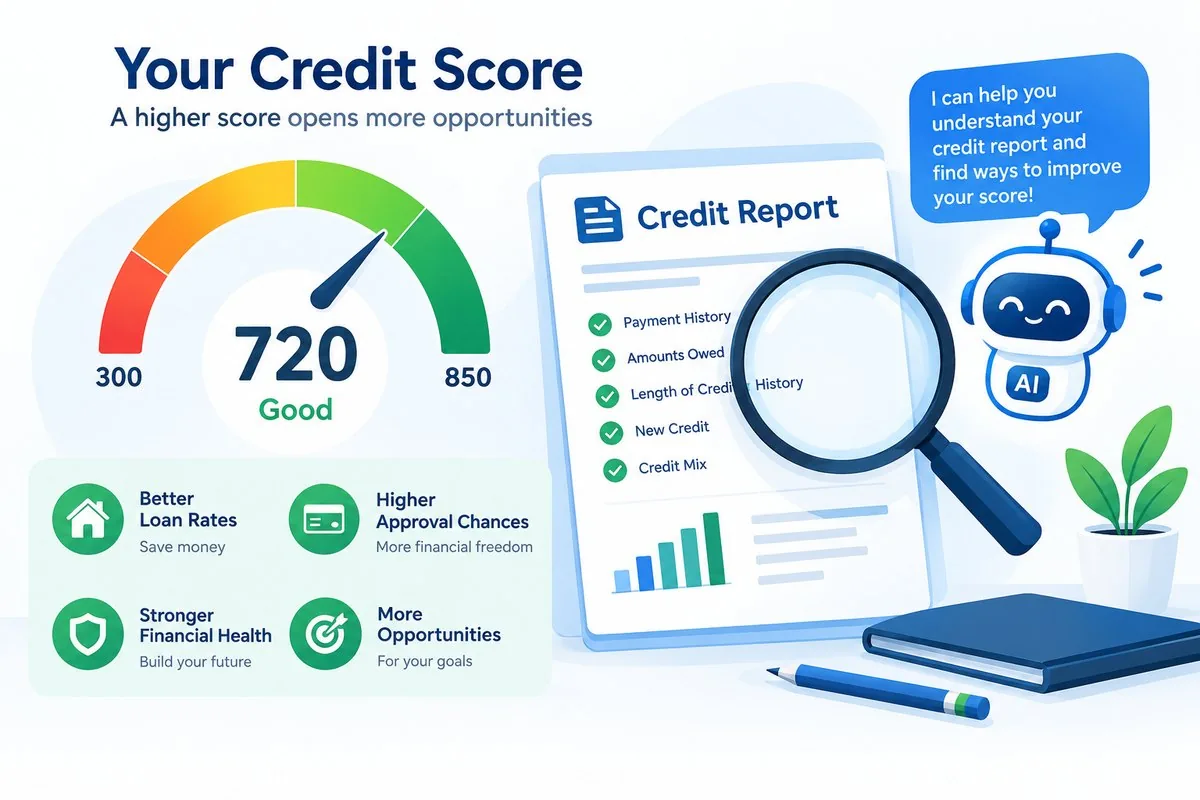
If you want to use AI to improve your credit score, start with a realistic goal. AI can’t change the number for you, but it can make the process far less confusing. It can turn a dense credit report into plain English, help you decide what to fix first, and help you word a dispute when you find a real mistake. What it can’t do is erase accurate negative information or promise a set number of points, and anyone who says it can is selling something.
Note: This guide covers the U.S. credit system and is general education, not financial or legal advice. No method here can guarantee a specific credit result.
What Actually Moves Your Credit Score
Before you open any AI tool, it helps to know what you’re trying to change. FICO, one of the best-known scoring models, builds your score from five parts. Here’s how much each part counts, according to myFICO.
| Factor | Share of FICO score | What it means |
|---|---|---|
| Payment history | 35% | Whether you pay your bills on time |
| Amounts owed | 30% | How much you owe, including how much of your card limits you use |
| Length of credit history | 15% | How long your accounts have been open |
| New credit | 10% | Recent applications and newly opened accounts |
| Credit mix | 10% | The types of credit you use, such as cards and loans |
Source: myFICO, “What’s in my FICO Scores?”. Other models, such as VantageScore, weigh things a little differently, but the same habits help across the board.
Amounts owed is the part you can change fastest, so it’s worth a closer look. A big piece of it is credit utilization, which is the share of your card limits you’re using. Say you have one card with a $1,000 limit and a $300 balance. That’s 30% utilization, and paying the balance down to $100 would bring it to 10%.
You’ll often hear that you should stay under 30%. That’s a rule of thumb, not an official cutoff, and lower is generally better. Card issuers also usually report to the bureaus about once a month, often around your statement closing date, so a lower balance may take a cycle to show up.
What AI Can and Can’t Do for Your Credit
Think of AI as a patient explainer and a drafting helper. It’s good at translating jargon, organizing your options, and getting a first draft of a letter on the page. It’s not a credit expert with access to your file.
A general-purpose chatbot can’t pull your credit report, and it can’t tell whether an item on it is actually wrong. It can also make mistakes, like stating a rule wrongly or making up a detail. Before you act on anything it says about your rights or deadlines, check it against the CFPB or the FTC. Some credit-monitoring apps do connect to your data, but they’re a different kind of tool, so read what information they collect before you sign up.
Protect your personal information, too. Never paste your Social Security number, full account numbers, or date of birth into a chatbot, and take out names and addresses. For example, change “Visa card ending in 4417, opened March 2019, $850 balance” to “a credit card opened in 2019 with an $850 balance.” The AI doesn’t need the rest to explain what’s going on.
Step 1: Get Your Free Report and Have AI Explain It
Start with your real credit report, not a guess. Federal law gives you one free report every 12 months from each of the three bureaus, and Equifax, Experian, and TransUnion now also offer free weekly reports at AnnualCreditReport.com. That’s the official site, and the FTC warns that other sites may charge you or be fraudulent.
Once you have your report, copy one short section into your AI tool with the personal details removed, then ask for a plain-English explanation. Here’s a prompt you can borrow:
Prompt: “Here’s one account from my credit report with names and numbers removed: ‘Revolving account, 30 days past due, balance $850, limit $1,000.’ Explain each part in plain English and tell me which parts could affect my score.”
A good answer should point out two things. One is the late payment. The other is the 85% utilization, which is $850 out of a $1,000 limit. If a term still doesn’t make sense, ask a follow-up, or see our guide to reading your credit report.

Step 2: Use AI to Build a Priority List for Your Credit Score
Once the terms make sense, ask AI to help you rank what to tackle first. This is where it earns its keep. It can turn “improve my score” into a short list that fits your situation instead of a generic tip sheet. Try something like this:
Prompt: “I have high utilization on one card, two late payments from about two years ago, and a short credit history. Rank the three most useful things I can do in the next six months and explain why.”
In a case like that, a good answer will usually put utilization near the top. Balances are reported about once a month, so a lower balance can show up as soon as your lender sends the next update. Paying on time from now on comes next. A short history can’t be rushed, so the advice there is mostly to be patient and avoid opening accounts you don’t need.
Two other things are worth asking about. One is autopay, so you never miss a due date (set it to at least the minimum, and the full statement balance if you can afford it). The other is keeping your oldest card open if the fee isn’t a problem, since closing a card also lowers your total available credit and can push your utilization up.
Step 3: Use AI to Draft a Credit Report Dispute
Mistakes on credit reports are more common than most people think. In a congressionally mandated FTC study of 1,001 consumers, about one in five had an error on at least one of their three reports. About one in 20 had an error that could lead to paying more for things like auto loans and insurance. The study is more than a decade old, so treat the numbers as a reason to check your reports, not as a prediction.
If you find a mistake, you have the right to dispute it. The credit bureau usually has about 30 days to investigate, unless it decides your dispute is frivolous. Both the bureau and the company that reported the information are responsible for fixing errors, so the FTC recommends contacting both.
AI can help you word the letter, but you send it yourself. Here’s a prompt to start with:
Prompt: “I found an error on my credit report: [describe the error, such as ‘an account shown as open with a balance, but I paid it off in 2023’]. Help me write a short, factual dispute letter to the credit bureau. State what’s wrong, say what correction I’m asking for, and list the documents I’m including.”
Read the draft carefully before you send it. Delete any legal claims you can’t check against the CFPB or FTC. Attach copies, not originals, of anything that backs you up, such as a payoff letter. If you mail the dispute, the FTC suggests certified mail with a return receipt so you have proof it arrived.
You can also file online through each bureau’s own dispute page: Equifax, Experian, or TransUnion. Never use a third-party site that asks for your bureau login. For more on wording and what to include, see our guide to writing a credit dispute letter.

How to Avoid Credit Repair Scams
Plenty of companies now sell “AI credit repair.” Some are legitimate, and some aren’t. Here’s what to watch for.
- Guaranteed results. No honest service can promise to erase accurate negative information. Most accurate negative items can stay on your report for seven years, and bankruptcies for up to 10.
- Fees before the work is done. Under the Credit Repair Organizations Act, credit repair companies can’t charge you until they’ve done what they promised.
- A “new credit identity.” Some companies tell you to use a business tax ID (EIN) or a credit privacy number (CPN) instead of your Social Security number. The FTC warns that these schemes can involve fraud, and you can get into legal trouble if you follow the advice.
- Disputing things that are true. It won’t help your score, and a bureau can decide a dispute is frivolous and skip the investigation.
Here’s an invented example of what a pitch can sound like: “Pay $99 today and we’ll delete every negative item in 30 days, guaranteed.” That one breaks two rules at once. It asks for money up front, and it promises something no one can promise.
The FTC’s credit repair guide and the CFPB’s credit reports page explain your rights for free. For a longer checklist, read how to spot credit repair scams.
Frequently Asked Questions
Can AI improve my credit score?
Indirectly. It can help you understand your report, rank your next steps, and draft a dispute for a real error. It can’t change your score on its own or remove accurate negative information. The habits that move your score are still on-time payments and low balances.
How fast can my credit score change?
It depends on what’s holding it down. A lower card balance can show up once your issuer reports it, which usually happens about once a month. Late payments and collections fade more slowly, and most accurate negative items can stay on your report for up to seven years. See our post on how long negative items stay on your report for details.
Can AI remove items from my credit report?
No. If an item is wrong, the credit bureau has to fix or remove it, and the company that reported it can correct its own mistake. AI can help you write the request, but it can’t make the decision. Accurate negative items generally stay on your report until the time limit runs out.
Is it safe to put my credit report into an AI tool?
Only if you take out personal details first. Remove your name, address, date of birth, Social Security number, and account numbers, and paste only the part you need explained. Privacy policies differ from tool to tool, so check how yours handles what you type. If you’re unsure, describe the problem in your own words instead of pasting anything.
Is AI credit repair legit?
Using AI yourself to understand your report or draft a dispute is free and legitimate. Paid “AI credit repair” services are a different story. Be careful with any that guarantee results or ask for payment before doing the work, because the FTC says credit repair companies can’t charge up front.
Related Reading
- How to Use AI to Pay Off Debt Faster (Beginner Guide): lower balances help your score.
- 11 Best AI Budgeting Apps to Save Money in 2026: track payment dates and spending.
- Can AI Manage Your Money? What It Can and Can’t Do: how far to trust AI with your money.
- AI in Personal Finance: The Complete 2026 US Guide: the full guide to AI in personal finance.
Was this article useful?
Thanks, that helps us decide what to write next.
Spotted a mistake? Report an error and we will fix it, with a dated correction note.
Disclaimer. This article is general information, not financial, tax, or investment advice. Figures describe specific cases at specific dates. Talk to a licensed professional before acting on anything here. Full disclaimer.